Process step “Weigh material”
Demonstration scenario · The content shown is an example, not a real validation or risk file.
Testing
Control & protection
Read & find
Examples
In preparation
Certification
Initiatives
Process Studio Editor
Process Studio Viewer
Process Recorder · soon
The method
Six building blocks
Certification
Overview – Deep Dive
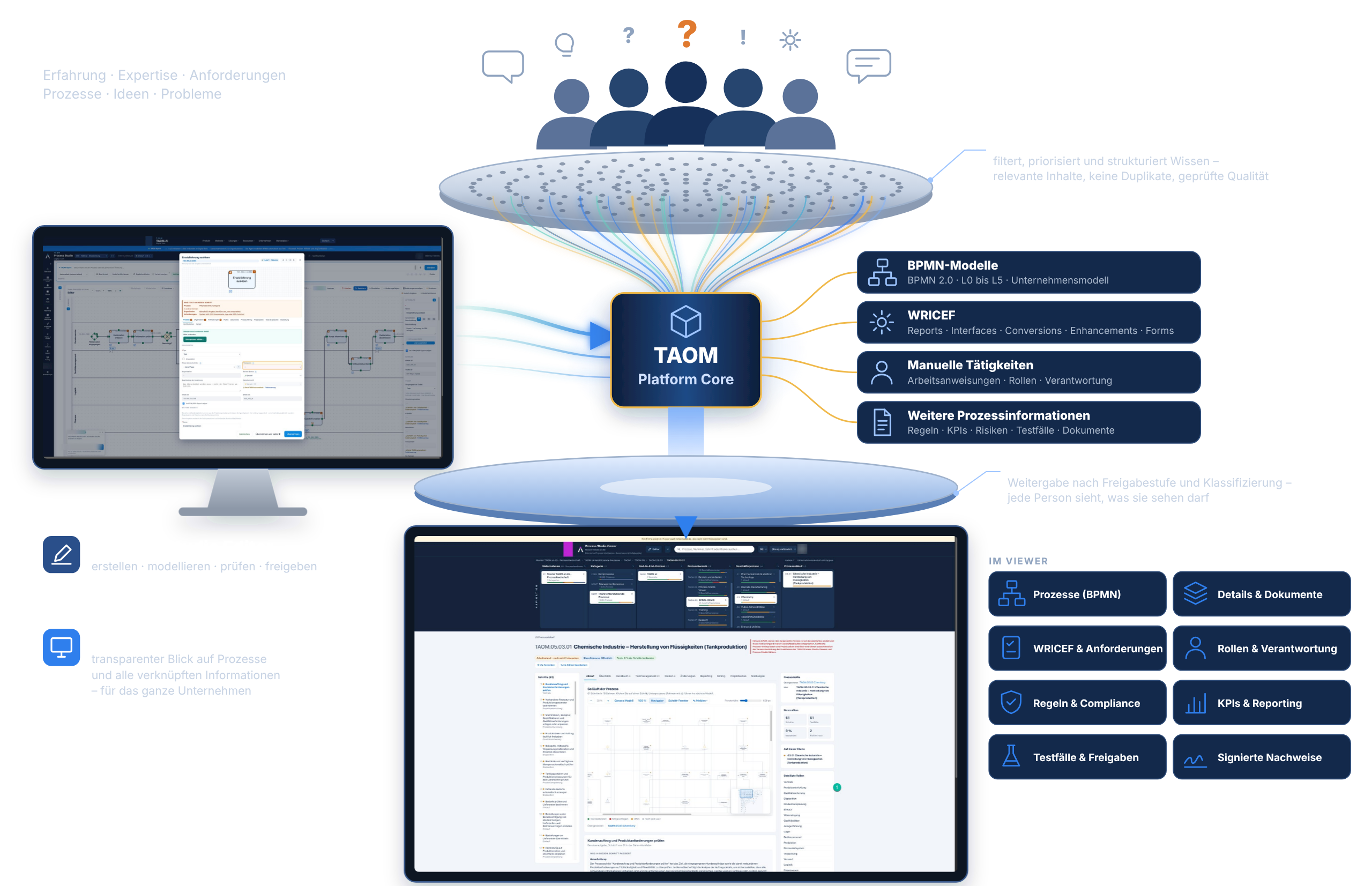
TAOM connects process design, requirements, risks, tests, manuals, learning content, reporting and continuous improvement – on one shared data basis. Choose your perspective and see what TAOM means for your role.
TAOM connects the project start with later operations. A process model is not just documentation: it becomes the shared point of reference for requirements, tests, risks, decisions and ongoing improvements.
At the centre are process models and the information maintained directly at the process steps. All applications draw on these relationships – that is what distinguishes a process platform from a collection of individual tools.
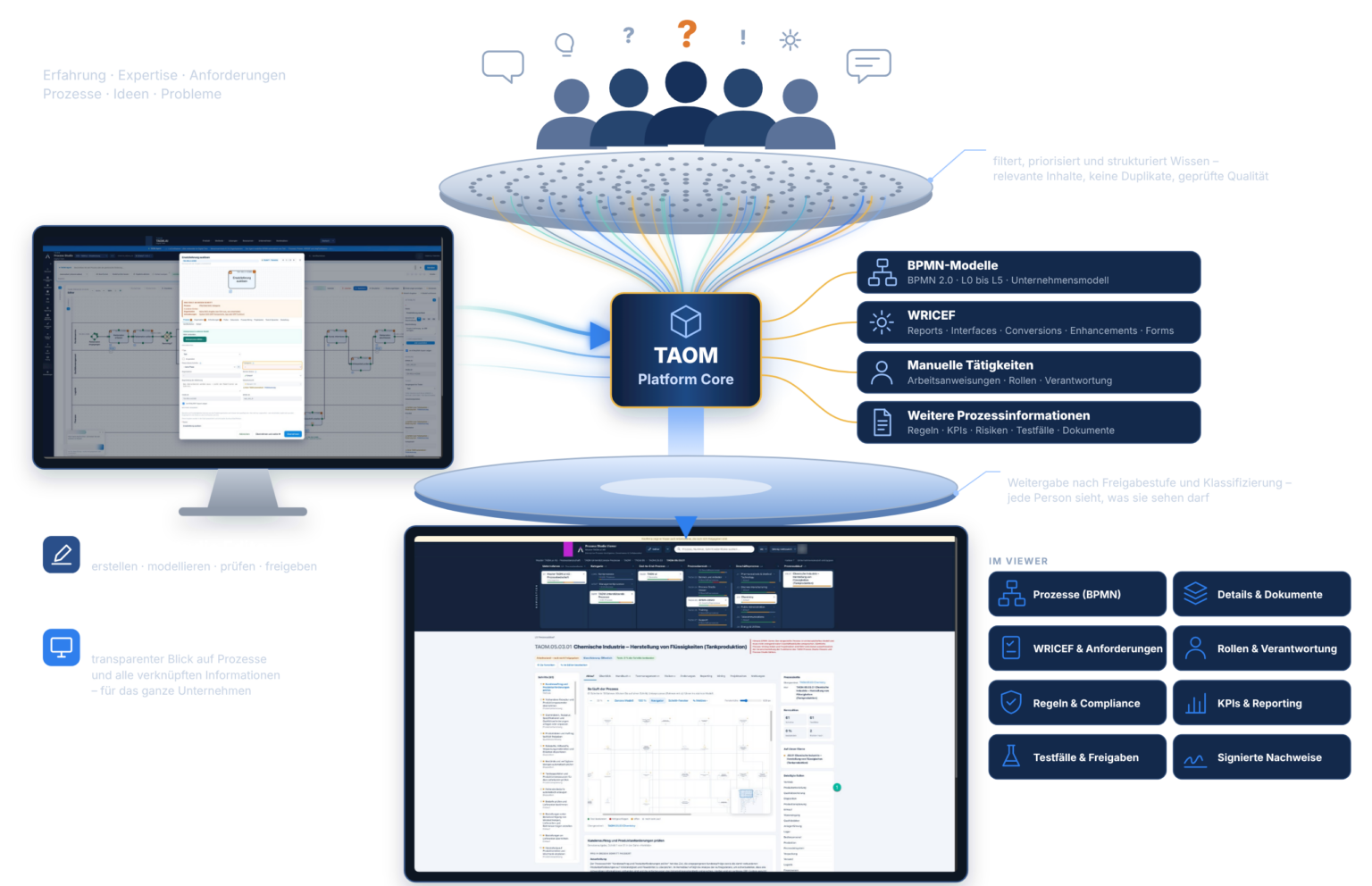
Model processes, maintain requirements and risks at the step, prepare tests, review changes and approve versions – alone or in a team.
View features →Use approved process information, manuals, tests, risks and analyses within your own permissions – and report improvements directly at the step.
Get to know the Viewer →Courses, learning videos and certification support the roll-out; Support accompanies day-to-day use – with your TAOM account, without an additional sign-in.
To the courses →An illustrative example from pharmaceutical manufacturing shows how the functions are connected – from the requirement to the updated manual.
Demonstration scenario · The content shown is an example, not a real validation or risk file.
Transparency, process KPIs, responsibility, risks, changes and financial steering.
Understand processes, use work instructions, report deviations and track improvements.
Requirements, test plans, evidence, risk assessments, approvals and manuals.
Process and system references, WRICEF, integrations, protection levels, governance and change consequences.
An employee reports an improvement in the Viewer directly at the process step. The process owner reviews it in the Editor. TAOM shows the consequences of the change for requirements, tests, risks and approvals. After the review, the affected information is updated and the new version is made available in a controlled way.
Open Process Studio or see which licence suits your organisation.
Scope of functions and availability depend on the licence chosen and on add-on licences – see licence structure.
The support terms (SLA) are available to registered customers only. Please sign in.
Sign in