Home / Process Mining and project times

Process Mining and project times

TAOM Process Studio · Add-on licence

Process Mining that starts at the process step.

Processing, waiting and lead times sit where they arise: on the step in the BPMN model. With mean, median and 90th percentile, with case count and the source of every value – recorded manually or later via an interface.

Plus project times per activity: plan and actual, with role, in hours or person-days.

6Time types: processing, waiting, lead time, set-up, transport, other
Ø · median · P90plus minimum and maximum per time
Plan ↔ actualdeviation visible per step
Event logactivity and object type assigned
Process Mining

Where the process waits – on the step, not in a mining project

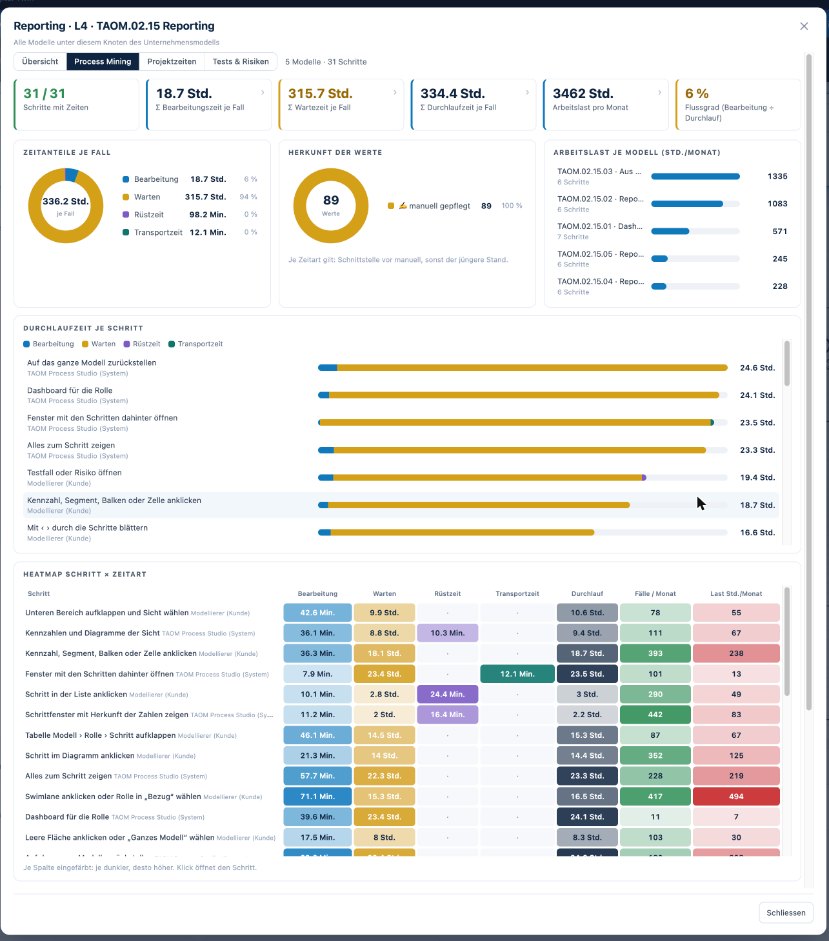
Classic process mining starts with data and looks for the process. TAOM starts with the process and attaches the times to it. So it is immediately clear which step, which role and which system are behind a waiting time.
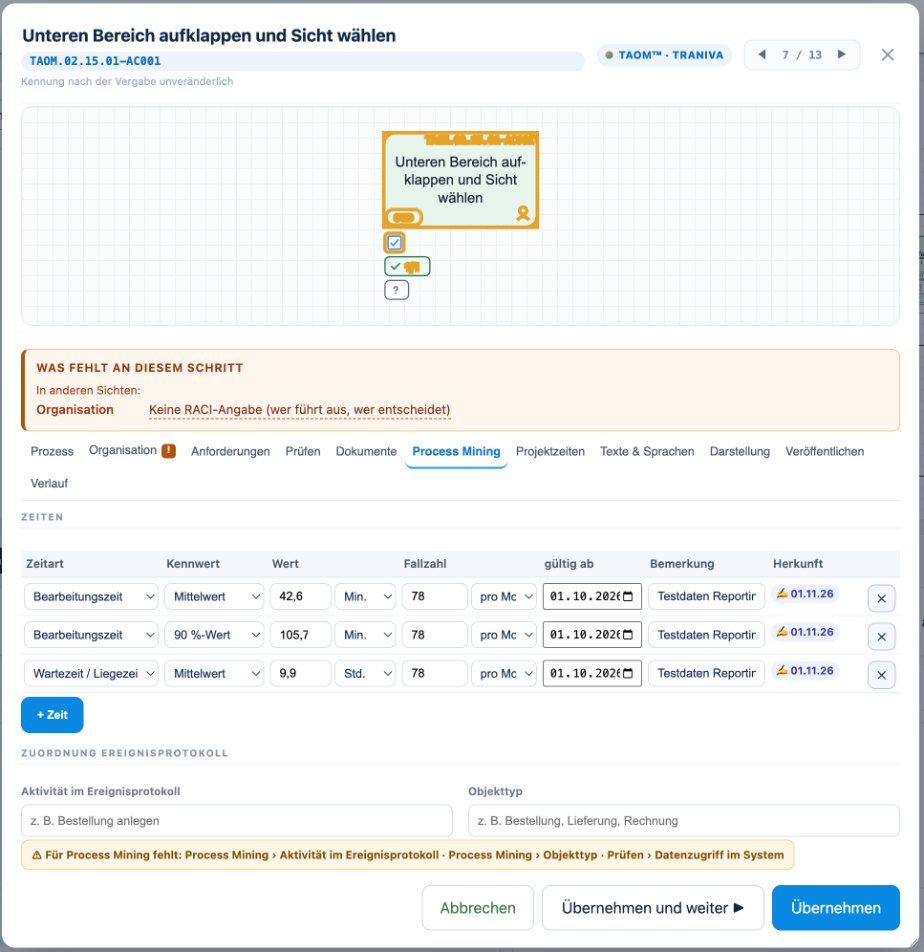
Times per stepProcessing, waiting and idle time, lead time, set-up, transport – with unit and period.
Key figures instead of single valuesMean, median, minimum, maximum, 90th percentile and case count per day, week, month or year.
Source per valueManual or interface – every number says where it comes from.
Ready for dataMapping to the event log via activity and object type.
Recording times at the process step – key figures, case count, plan and actual
Times at the process step – Processing and waiting times with metric, case count, valid-from date and source; plus the mapping to the event log.
Times at the process step Processing and waiting times with metric, case count, valid-from date and source; plus the mapping to the event log.
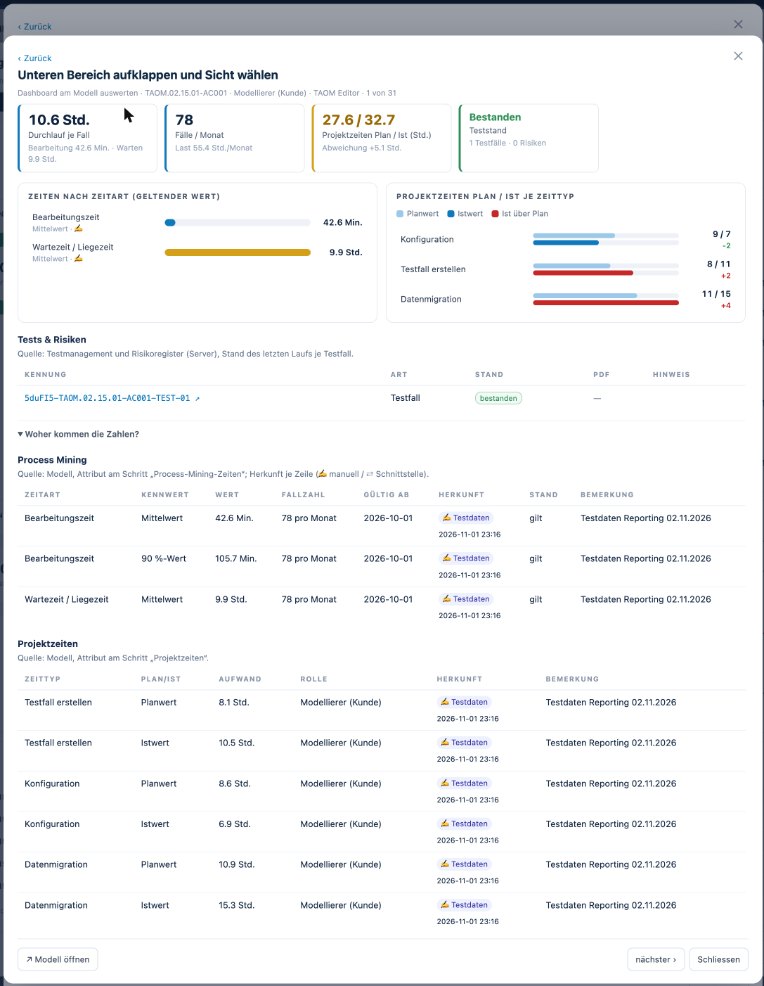
Where do the numbers come from? – Per step: lead time, cases and times by type – every figure with source, timestamp and remark.
Where do the numbers come from? Per step: lead time, cases and times by type – every figure with source, timestamp and remark.
Process mining across all models – Time shares, workload and heatmap per step – across models with the Reporting add-on licence.
Process mining across all models Time shares, workload and heatmap per step – across models with the Reporting add-on licence.

Screenshots from TAOM Process Studio with sample data. Click an image to enlarge it.

Project times per activity: plan and actual with role
Project times

What does implementation cost – per step?

For every project, you can plan and record at the step what implementation needs. So you see not only that a project is over plan, but where.
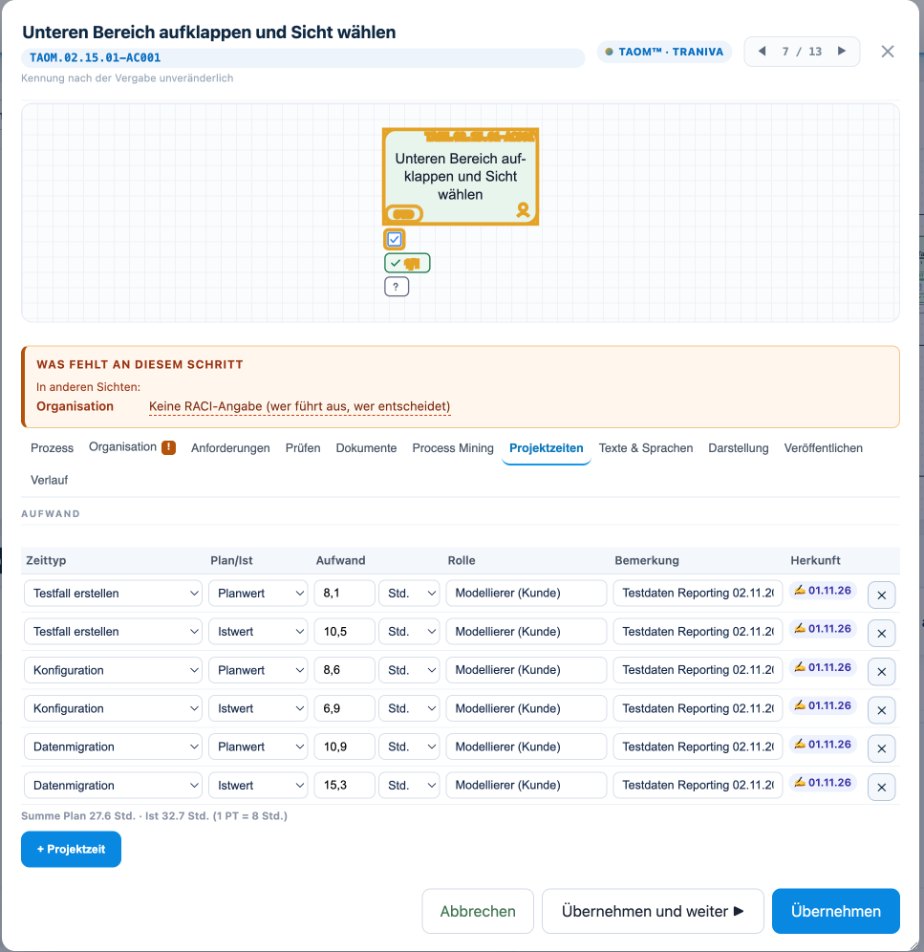
ActivitiesConfiguration, development, test case creation, test execution, acceptance, data migration, training, documentation.
Plan and actualIn hours or person-days, per role.
No add-on licenceProject times are included from Process Studio Modeller.
Project times at the step – Planned and actual per activity – configuration, test case creation, data migration … – with role; included in every licence tier.
Project times at the step Planned and actual per activity – configuration, test case creation, data migration … – with role; included in every licence tier.
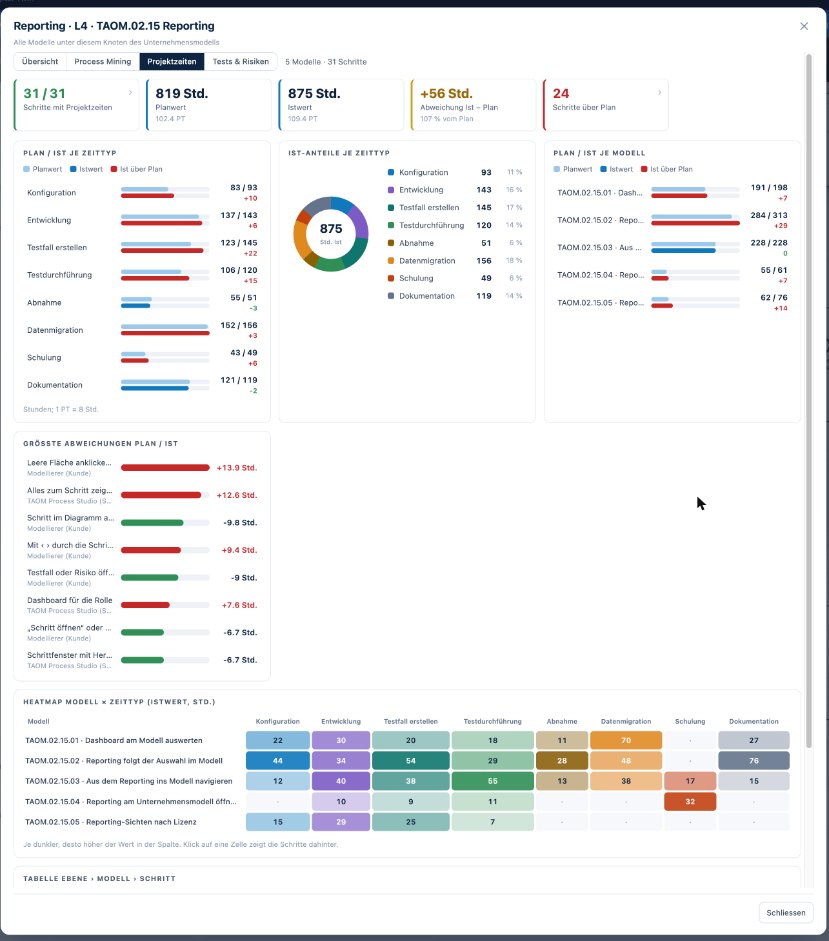
Project times evaluated – Planned/actual per time type and model, largest deviations and heatmap – across models with Reporting.
Project times evaluated Planned/actual per time type and model, largest deviations and heatmap – across models with Reporting.

Screenshots from TAOM Process Studio with sample data. Click an image to enlarge it.

What you won’t find elsewhere

Mining, testing and effort in the same place

The same step holds times, project effort, verification duty, test cases and risks. In Reporting everything comes together – whoever finds a slow step sees straight away whether it is tested and what its implementation cost.

This turns the process model into a digital twin of your organisation: processes, roles, systems, tests and KPIs in one place – always up to date instead of pulled together once a quarter. More on the digital twin →

Interfaces to external systems

The automatic transfer of times – for example from an ERP system, a workflow tool or a target system – is not included.

We provide it separately on customer request, tailored to your systems, your data storage and your security requirements. The mapping to the event log is already in place for this.

View integrations →

Frequently asked questions

Short answers

From which tier is Process Mining available?

The Process Mining add-on licence can be purchased with Webuser, Webuser Pro and Enterprise. Project times are included without an add-on licence from Process Studio Modeller – details in the licence structure.

Do I need an event log from the ERP?

No. Times can be recorded manually, for example from measurements, estimates or workshops. Automatic transfer is possible on request.

Where do I see all times across several models?

In Reporting: per model, role and step, with heatmap and bars – every number leads to the step behind it.

Times that belong to the process.

Process Mining add-on licence – own term, cancellable separately.