Description
Measured instead of estimated. The Process Mining add-on licence brings processing and waiting times to the process step – directly in the model, next to description, roles and tests.
Times where the process is described
TAOM Process Mining applies per person and runs alongside the licence tier: processing and waiting times, metrics such as median and 90th percentile, and volumes per period are recorded at the individual step and compared with the plan.
This is included in Process Mining
| ✓Maintain times at the process step | ✓Metrics: mean, median, 90 % value, minimum, maximum |
| ✓Compare actual times with the plan | ✓Source per value: manual or interface |
| ✓Volumes per day, week, month and year | ✓Mapping to the event log (activity, object type) |
| ✓Hint which information is still missing for process mining | ✓Own key, own term |
Every value carries its source, timestamp and remark – so it remains traceable where a figure comes from. The values are maintained in the editor; with the mapping to the event log, every step is prepared for later transfer via an interface.
What it looks like
Times are maintained in the step window – each row with time type, metric, case count, valid-from date and source. As soon as times are recorded, Process Studio shows which information from process, organisation, requirements and review is still missing for a later analysis.
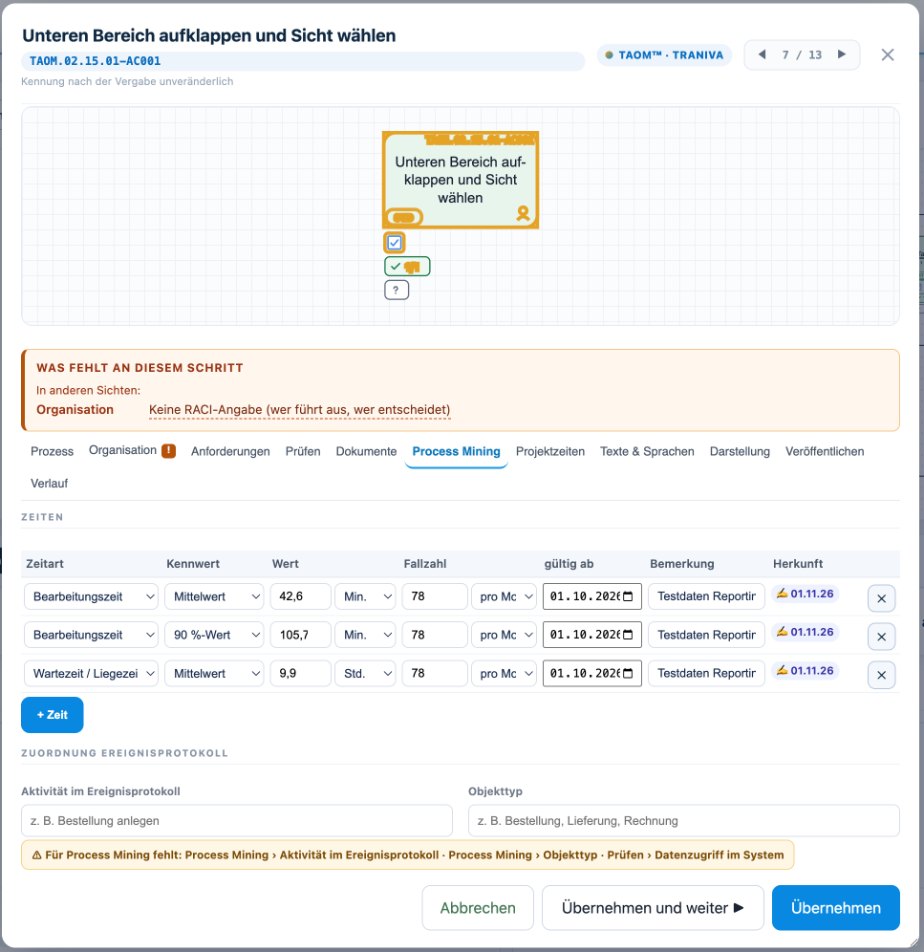
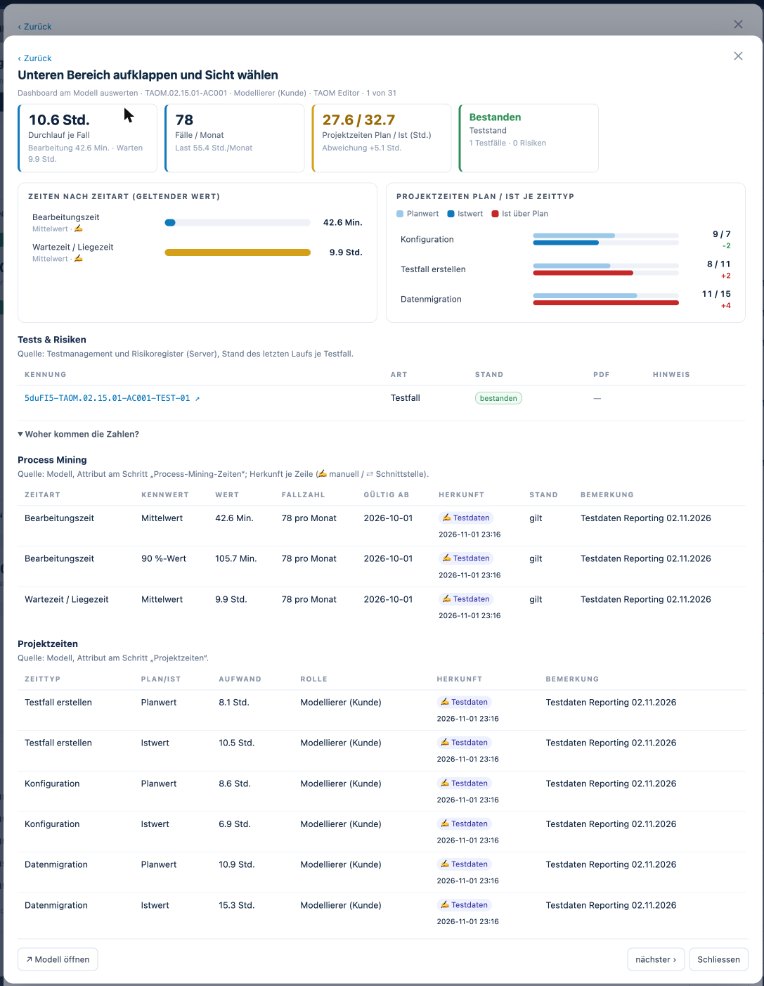
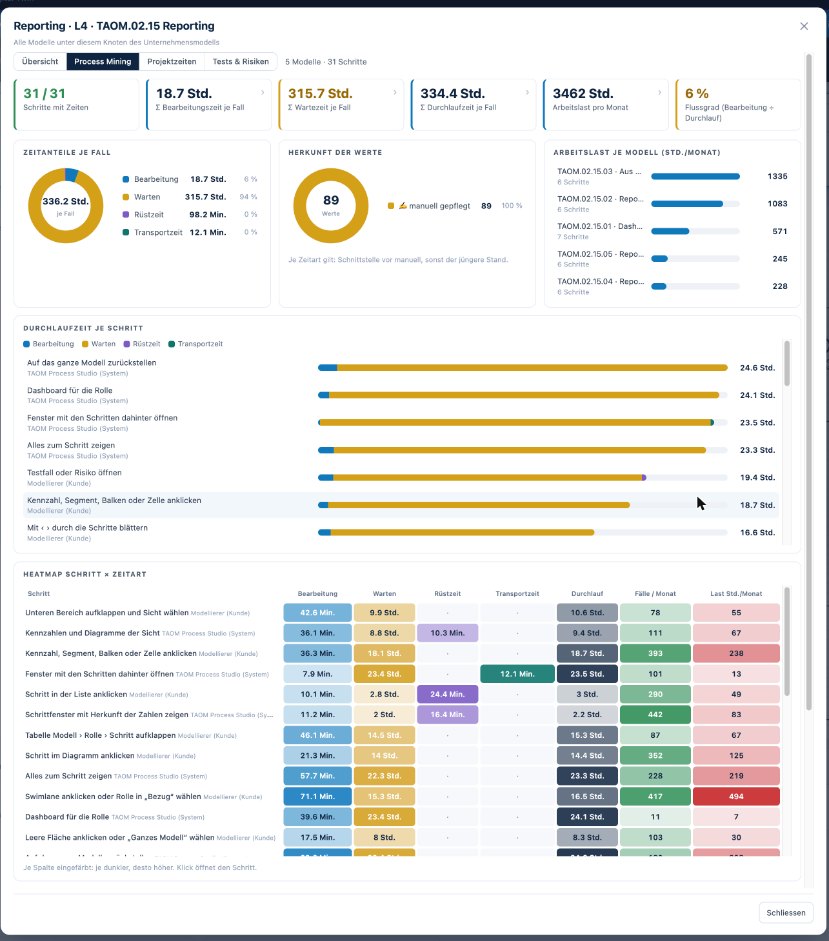
Screenshots from TAOM Process Studio with fictitious sample data. Click an image to enlarge it.
Plus: project times in every licence tier
Alongside the process times, you also maintain project times at the step: planned and actual per activity – configuration, development, test case creation, test execution, acceptance, data migration, training, documentation – with role and remark, in hours or person-days (1 PD = 8 h). Project times are included in every licence tier and need no add-on licence; the analysis across all models is part of the Reporting add-on licence.
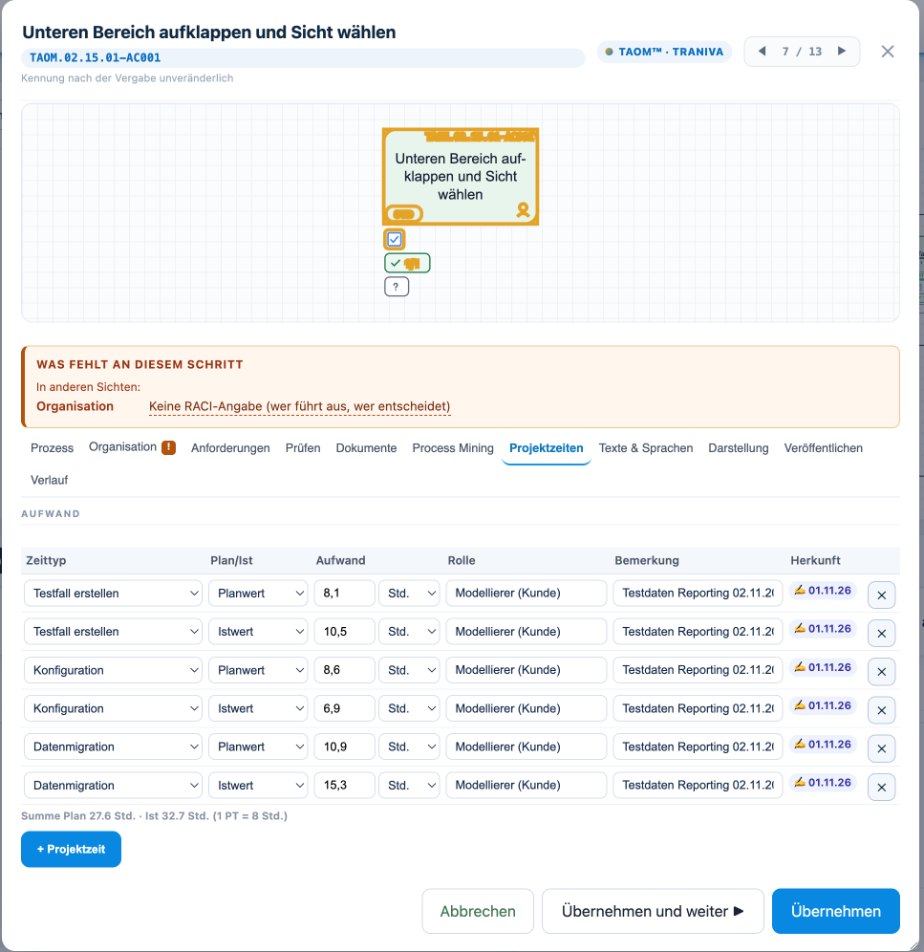
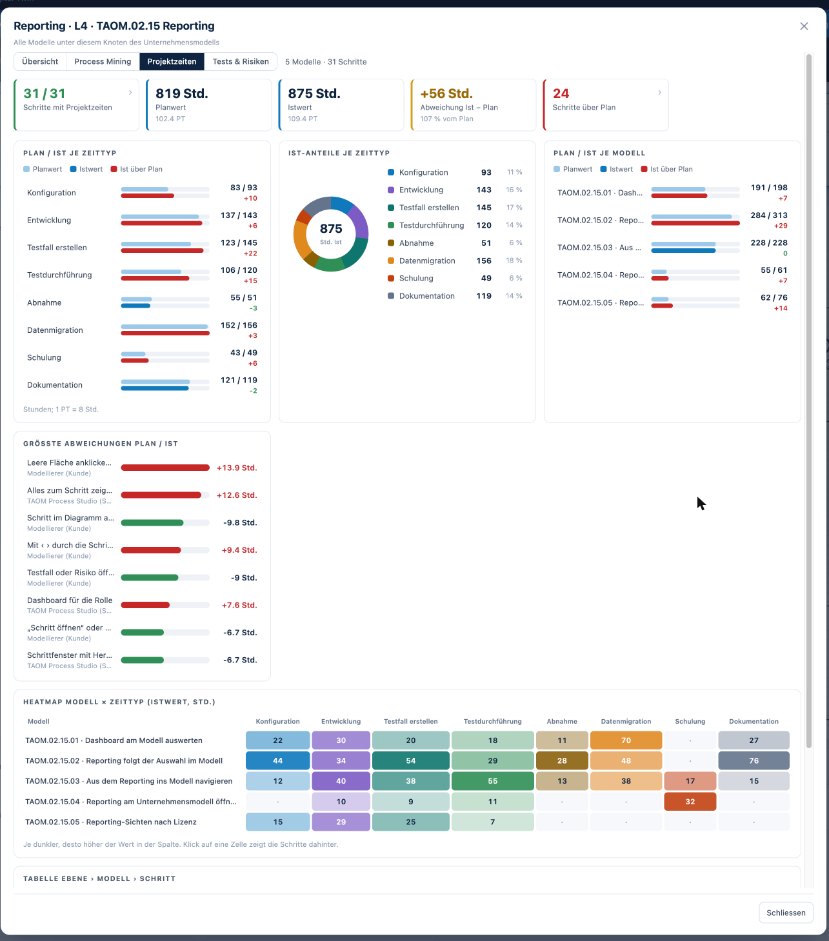
Screenshots from TAOM Process Studio with fictitious sample data. Click an image to enlarge it.
Interfaces
Not included: interfaces to external systems. Automatic transfer of times and volumes from an external system – for example from the event log of an ERP system or a target system (e.g. Jira) – is not part of the add-on licence. Such interfaces are agreed, offered and provided separately at the customer’s request. The add-on licence covers maintaining and analysing the values in the editor and the mapping to the event log (activity, object type), on which such an interface can build directly.
Prerequisite
Process Mining is not included in any licence tier. You can add the add-on licence to Webuser and Webuser Pro (and higher) – the prerequisite in your organisation is Webuser or higher.
The quantity you choose is the number of persons who maintain and analyse times. The seats apply automatically to the persons on your licence – first to you, then in the order in which they joined.
How to get started
|
Step 1
Choose persons and term
Add Process Mining to your cart – the quantity is the number of persons – and check out with your account.
|
Step 2
Key & assignment
Once payment is received, your Process Mining key is issued and assigned to your account.
|
Step 3
Record and compare times
In the editor, record processing and waiting times with metric and source at the process step and compare them with the plan.
|
Who is Process Mining for?
For process owners, controlling and project teams who want to prove lead times, see bottlenecks at the step and measure improvements.
TAOM Process Studio · Traniva AG. Process Mining is an add-on licence per person with its own key and its own term. Interfaces to external systems are not included and are offered separately on request. Details: Terms and Conditions.
Reviews
There are no reviews yet.