TAOM Digital Twin™
A diagram shows a sequence. An organisation is more than that.
Processes hang on people, systems, knowledge, requirements, decisions, controls – and increasingly on AI agents. The Digital Twin connects these parts into one shared context that changes along with them.
An example
“Release production order”
A conventional model shows this activity and where it sits in the flow. The Digital Twin also answers six questions – and the answers hang on the step, not in a side document.
- Who performs it?Production planning
- Which system carries it?ERP
- Which requirement applies?Orders must be released before execution
- Which knowledge is needed?Production planning policy
- Which controls apply?Authorisation and status check
- Which agent can help?Application Agent
The building blocks
Ten objects describe how work is done
The core
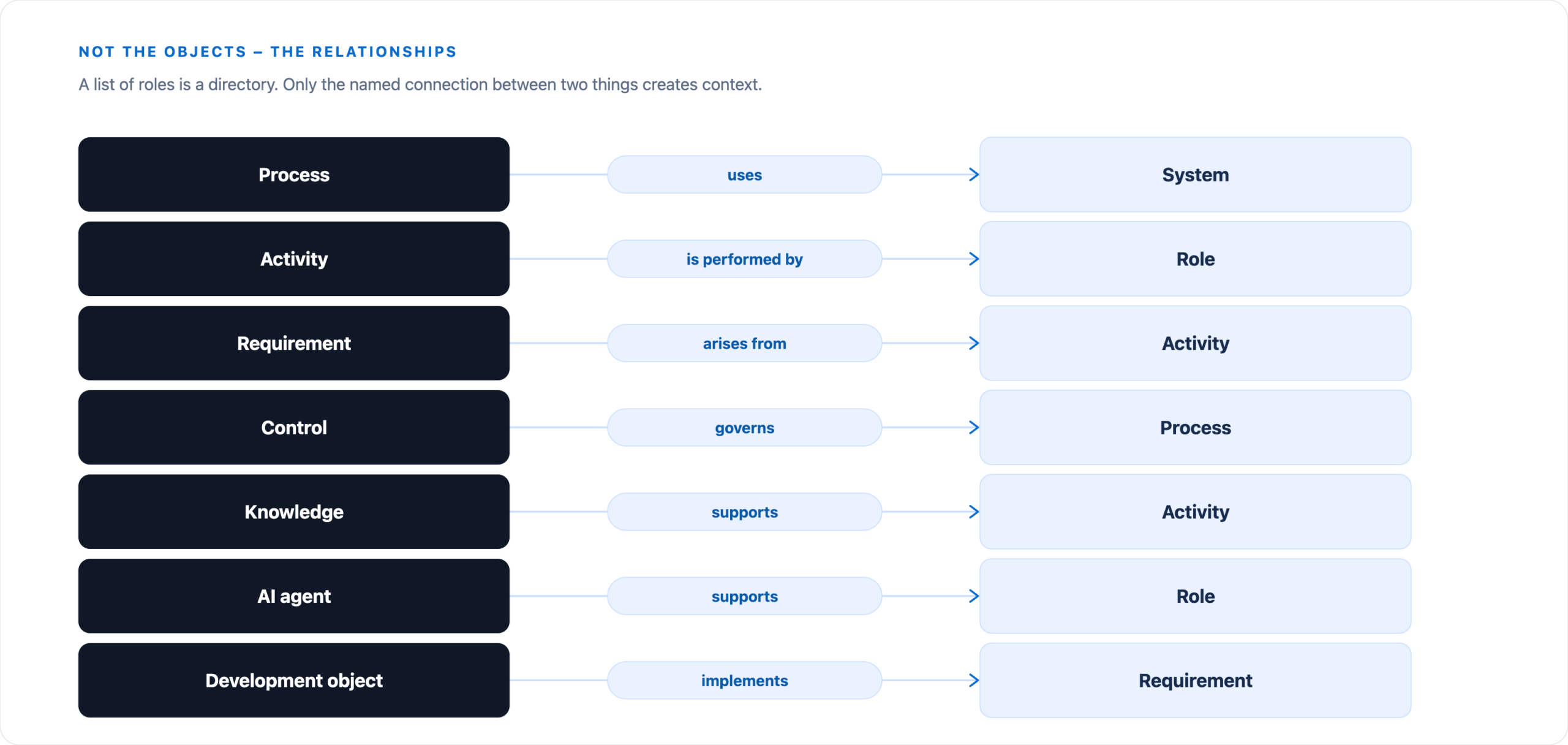
Not the objects – the relationships
A list of roles is a directory. Only the named connection between two things creates context.
Growth
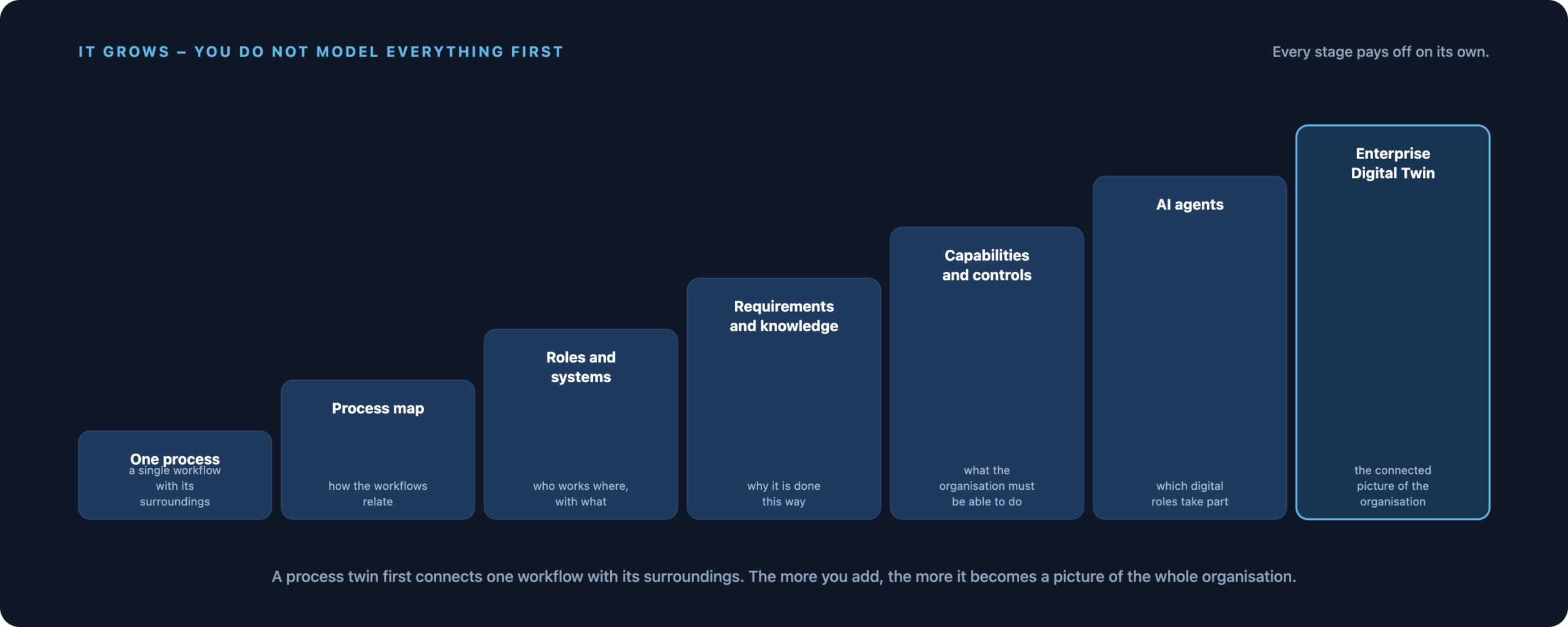
From one process to a picture of the whole organisation
You do not have to model the entire organisation before anything comes of it. Each stage pays off on its own – the twin emerges along the way.
What you can ask with it
- Which processes use this application?
- Which requirements belong to this process?
- Which roles are affected if this step changes?
- Which processes contain AI-generated content?
- Which requirement does this development object come from?
- Which knowledge supports this activity?
Context for the AI
An agent becomes far more useful when it knows the connections. Instead of analysing a detached text, it receives the running process, the systems involved, the responsible roles, existing requirements, linked knowledge, applicable controls and the neighbouring processes.
The Digital Twin thus becomes the context layer for the TAOM agents.
Shared view
From documentation to transformation
Six perspectives that otherwise run side by side – in the twin they look at the same work.
Living, not frozen
A model that does not age
Everything changes anyway
Processes change, systems are replaced, requirements are added, responsibilities move, AI capabilities grow. A static diagram is therefore out of date before it is even filed.
TAOM is built for a model that absorbs change instead of letting it happen alongside – through the same cycle of discovering, modelling, connecting, changing, reviewing, versioning and adapting.
It is built in Process Studio
The information the twin is built from arises during normal work: from an existing BPMN model, a newly created process, a description in your own words or documents from the project.
The term
Not the model, not the tools – the governed relation between them
A digital twin in the TAOM sense is neither a copy nor a mirror image. It is the governed relation between the process model and whatever the tools make of it – held on the shape, tended by the agent.
The systems shown are examples. What gets connected is what the house already runs – ServiceNow, Signavio, Azure DevOps, SharePoint, a quality or calibration system, an application of your own. What matters is not which system, but that the reference to it is governed.
Shape
The process element with its structured details: sequence, role, system, requirement, identifier. Carrier of the connection.
Reference
The lasting link to an object in a target system, held through the TAOM identifier. It comes into being when the object is created, not when it is read back.
Agent
Tends the references: creates, updates, reads back. Without tending every link ages – which is why accountability is part of the term.
State
What comes back: done, approved, progress, version. It lives on the process step, not only in the target system.
Terms in the glossary · Connections and their maturity · View the template: issue and page ↗
Getting started
The diagram is the beginning, not the goal
Take a workflow that is on your mind anyway. Model it, attach roles and systems, then requirements and knowledge. The rest grows.