Together instead of one after the other. The Team add-on licence adds real collaboration to Webuser or Webuser Pro – on the same model, in Microsoft Teams and Slack and in your own target systems.
Collaboration for your whole team
TAOM Team runs alongside your licence tier: several people work on the same model at the same time, see their company’s workspaces and receive notifications from the processes where they already work.
This is included in Team
| ✓Work together on the same model | ✓See your company’s workspaces |
| ✓Notifications to Microsoft Teams & Slack | ✓Maintain target systems yourself |
| ✓Own key, own term | ✓Only your company’s data |
Channels and target systems are set up in the customer account by the person who manages the licence. Notifications go exclusively to channels of your own company. Target systems are, for example, Jira or Confluence; the access key is stored encrypted.
What it looks like
You set up channels in the customer account: Microsoft Teams or Slack, with the workspaces and the occasions per channel – such as “review required”, approval, rejection, objection or test failure. The channel address is stored encrypted and is not shown again afterwards.
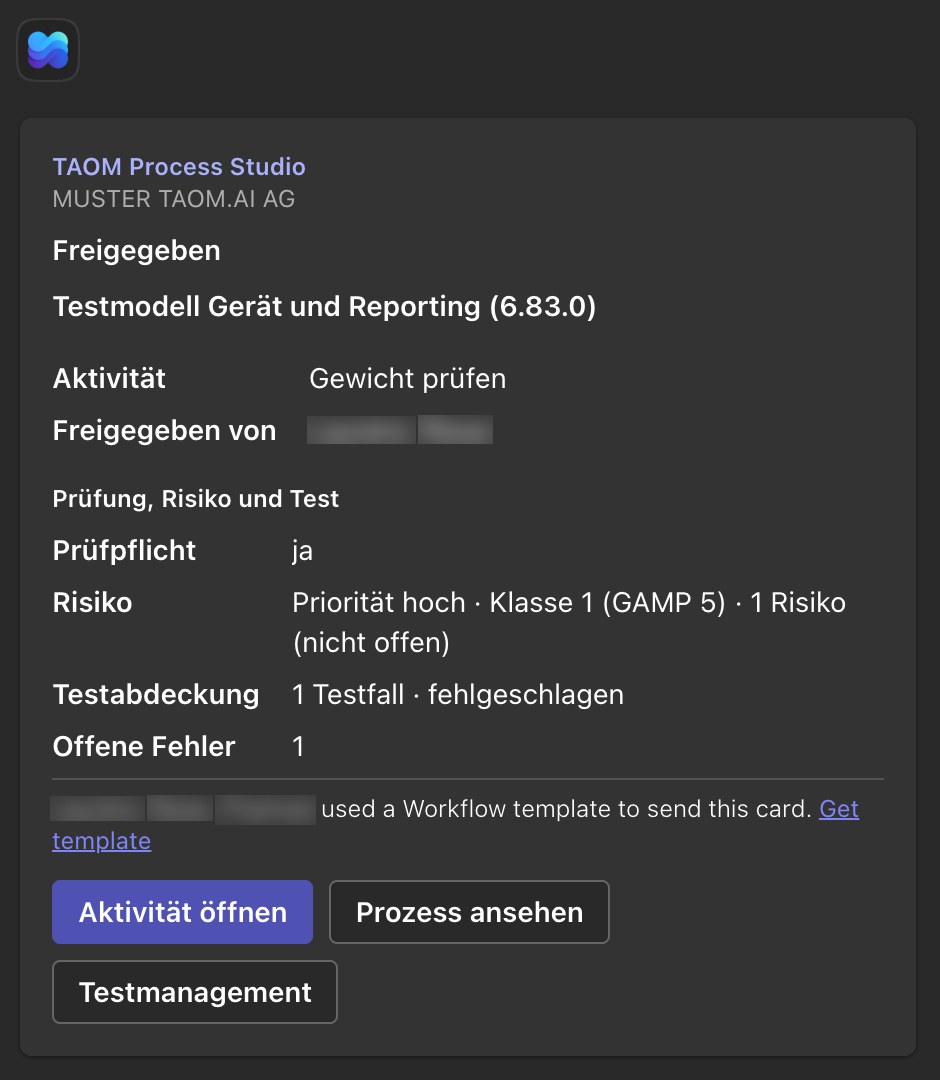
Screenshots from TAOM Process Studio with sample data. Click an image to enlarge it.
Prerequisite
A Webuser or Webuser Pro licence. With the Process Studio Modeller and the Projektuser, Team is already included – you do not need this add-on licence there. Team does not change the scope of your tier, it is added to it. If you change tier during the term, the Team add-on licence remains valid until it ends.
The quantity you choose is the number of Team seats. Anyone who wants to write from the editor into a target system also needs the Testing & Verification add-on licence.
How to get started
|
Step 1
Choose seats and term
Add Team to your licence selection – the quantity is the number of seats – and check out with your account.
|
Step 2
Key & assignment
Once payment has been received, your Team key is issued and assigned to your account.
|
Step 3
Set up your team
Invite colleagues, add channels and target systems in your customer account – and off you go.
|
Who is Team for?
For everyone who does not model processes alone: business departments, project teams and consulting teams who work on the model together, coordinate approvals and want to see notifications where the team already talks.
TAOM Process Studio · Traniva AG. Team is an add-on licence with its own key and its own term; the scope of your licence tier remains unchanged. Details: GTC, clause 5.8.