Licence

TAOM.ai – WEBUSER including AI licences

The TAOM.ai Web User licence already includes the necessary AI licences and access to the supported AI models. If you wish to choose your own AI model or provider, we recommend using our Enterprise version licence to ensure optimum performance, security and stability.

Price per month with a minimum contract term of 12 months

Productive from day one. The full AI BPMN editor for individual users – without trial restrictions.

The full editor for your daily process work

TAOM Webuser is for everyone who works with processes regularly: the complete editor, unlimited diagrams and your personal licence portal – without the limits of the demo.

What Webuser includes

✓Full editor (Editor Pro) ✓AI process descriptions
✓Unlimited diagrams ✓Personal licence portal
✓Automatic updates ✓Email support

How you work with Webuser

You describe the process in your own words, and the TAOM Agent draws the BPMN diagram from it – then you refine it in the editor: core data, roles and systems per step and detailed texts in four languages. You share finished models as a viewer link or export them as HTML, PDF or BPMN file.

Process from text – Describe the process in your own words – the TAOM Agent models the BPMN diagram from it or changes the existing one.
Process from text Describe the process in your own words – the TAOM Agent models the BPMN diagram from it or changes the existing one.
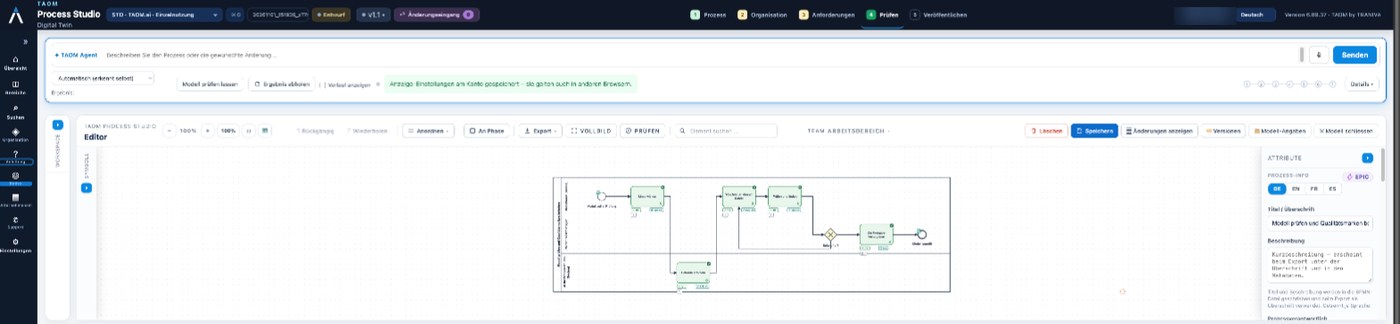
The editor – Agent, diagram and properties in one window; at the top the stages process, organisation, requirements, review and publish.
The editor Agent, diagram and properties in one window; at the top the stages process, organisation, requirements, review and publish.
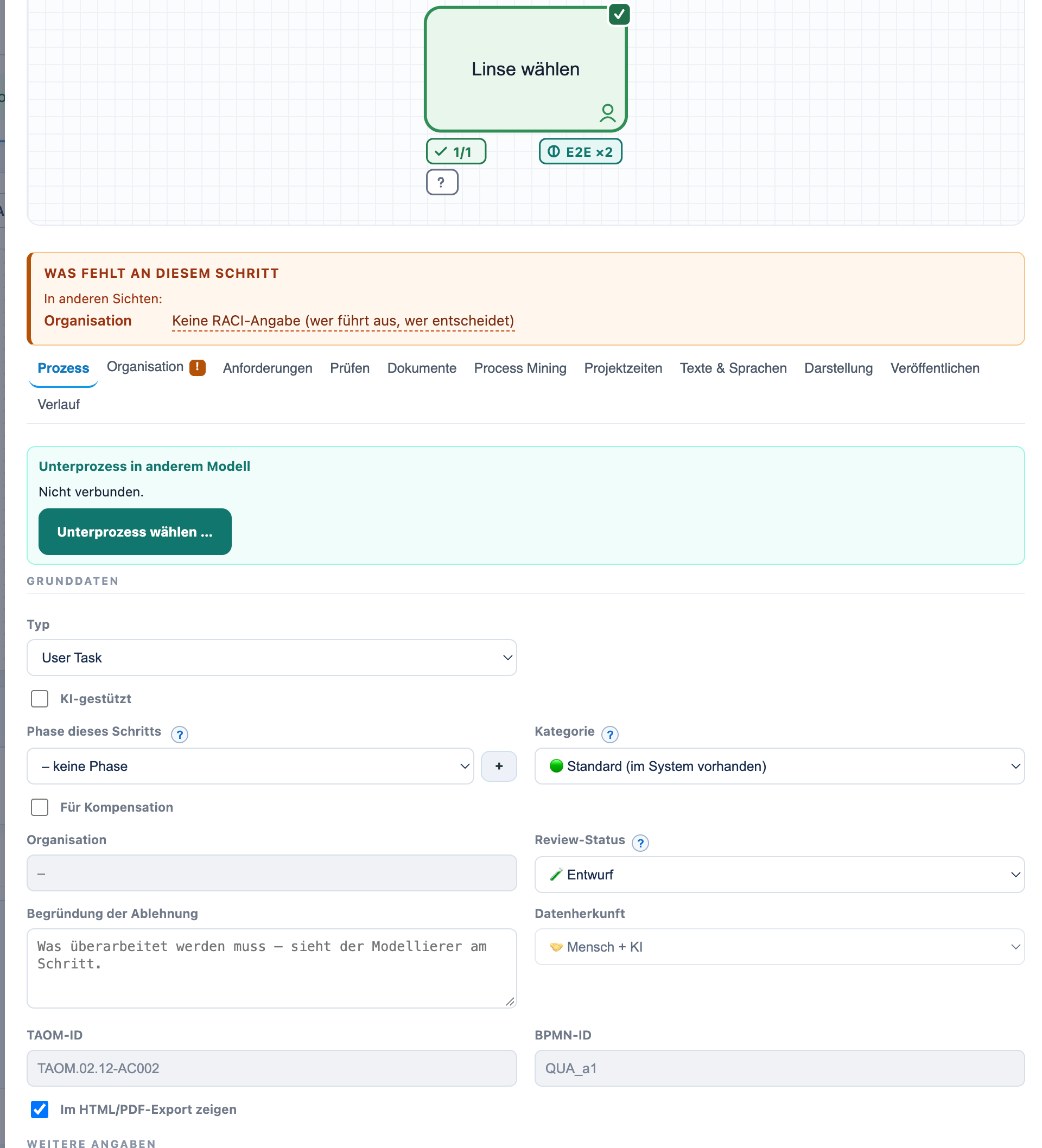
Every step with core data – Type, phase, category, review status and data origin (human, AI or both); Process Studio shows every gap under “What is missing at this step”.
Every step with core data Type, phase, category, review status and data origin (human, AI or both); Process Studio shows every gap under “What is missing at this step”.
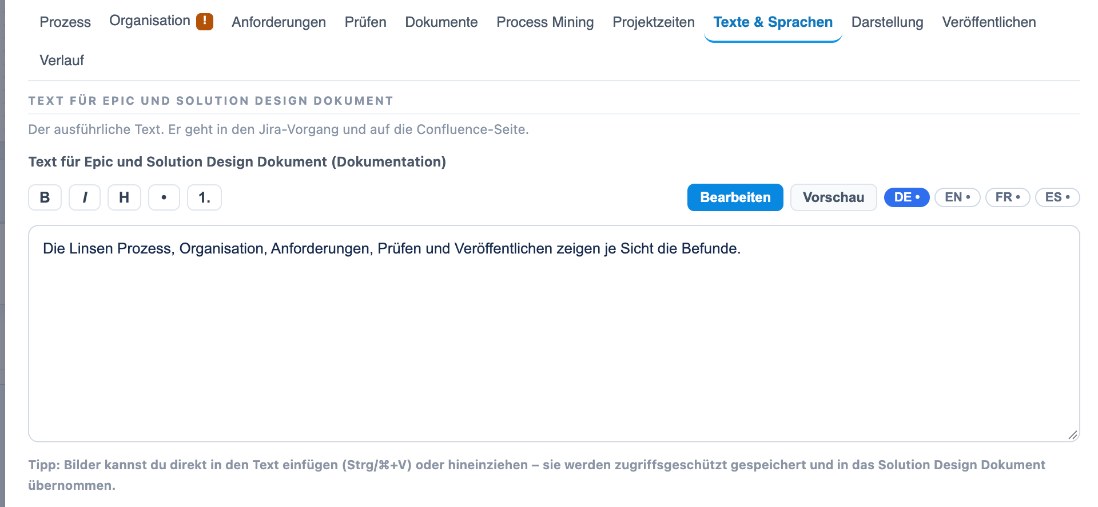
Texts in four languages – The detailed description per step in German, English, French and Spanish – it is transferred to the target system (e.g. Jira, Confluence).
Texts in four languages The detailed description per step in German, English, French and Spanish – it is transferred to the target system (e.g. Jira, Confluence).
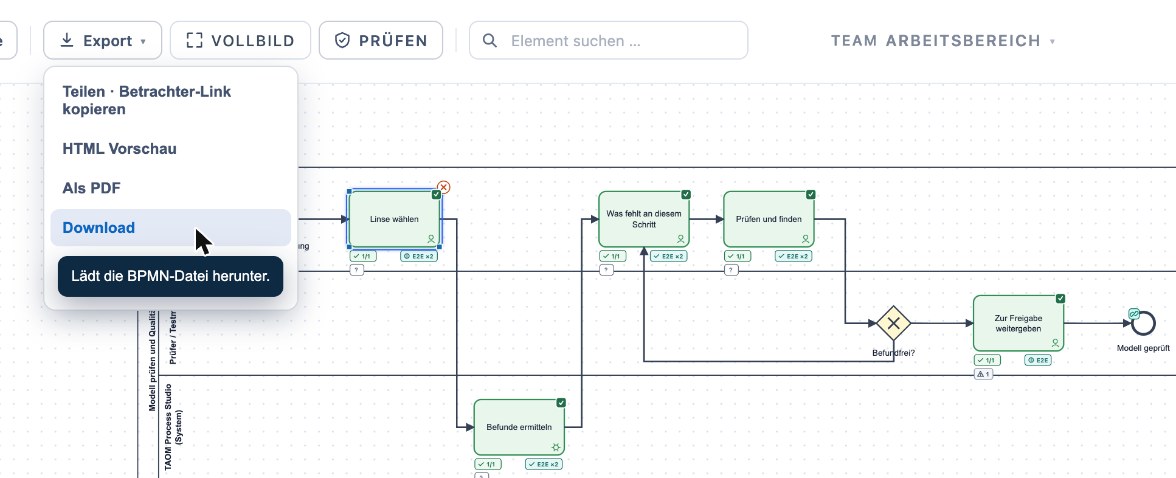
Share and export – Share a viewer link, HTML preview, PDF or download the BPMN file – including all diagrams of a group at once.
Share and export Share a viewer link, HTML preview, PDF or download the BPMN file – including all diagrams of a group at once.

Screenshots from TAOM Process Studio with sample data. Click an image to enlarge it.

How to get started

Step 1
Choose Webuser
Add Webuser to your licence selection and check out with your account.
Step 2
Licence & access
Your licence is created immediately and assigned to your account.
Step 3
Start working
Open the studio and model without restrictions.

Who is Webuser for?

Individual consultants, business analysts and process owners who model and document productively.

YOUR TIER
Ready for productive work
Need the large model, attachments & WRICEF? Switch to Webuser Pro at any time.

Add to licence selection

TAOM Process Studio · Traniva AG. All features and models depend on your licence tier.

Goes well with it

A sensible combination. With Webuser.

Add-on licence

Team

As soon as a second person works on the same model.

Price after sign-in