Agents that know what they are doing. Agent training – from the right agent through role, “CV” and skills to deployment on the platform of your choice.
Agent Training
The agent training shows how you select AI agents purposefully, set them up properly and run them reliably: which agent suits which task, which role and which “CV” shape it, which skills, tools and knowledge sources it gets – and where its limits are. It is implemented on the platform you use, for example n8n, Make.com, Langdock, Claude, ChatGPT or Microsoft Copilot.
What you learn in the training
| ✓Choose the right agent for the task | ✓Create agents and define them properly |
| ✓Define role and “CV” (persona) | ✓Connect skills, tools and knowledge sources |
| ✓Human in the loop, do’s and don’ts: limits, approvals, data protection | ✓Implementation in n8n, Make.com, Langdock, Claude, ChatGPT or Copilot |
| ✓Test, evaluate and improve agents | ✓Mark AI steps in the process model |
| ✓Build two to four agents of your own – depending on course length | ✓Integrate agents into Microsoft Copilot and Teams – like a team member of their own |
What a good agent needs
An agent is only as good as its description. In the training you build a complete profile for each agent – the same six building blocks, whatever platform it later runs on:
|
Mission and limits
What the agent should do – in one sentence – and what it explicitly should not.
|
CV (persona)
Role, experience, field, tone and target group: who is the agent, and how does it come across?
|
|
Skills and tools
Which capabilities it gets: read files, search, query systems, write results.
|
Knowledge
Which documents, guidelines and examples it may know – and which not.
|
|
Approvals and control
Where a human reviews and approves before anything has an external effect.
|
Measure and improve
Test cases with good and bad examples to evaluate answers and sharpen the agent.
|
Human in the loop
A good agent knows when to stop. In the training you define for each agent at which points a human takes over – and what the handover looks like:
|
Prepare rather than decide
The agent creates drafts, proposals and summaries; the human makes the decision.
|
Set checkpoints
Before anything takes external effect – e-mails, bookings, changes in systems – a human reviews and approves it.
|
|
Ask rather than guess
If information is missing or the situation is unclear, the agent asks instead of inventing an answer.
|
Learn from corrections
What people change or reject flows back into instructions, examples and test cases – the agent gets better with every round.
|
Do’s and don’ts
|
Do’s
✓One clear mission per agent – better several specialised agents than one for everything
✓Provide examples of good and bad answers
✓Only enable the tools the agent really needs
✓Build in human approval where there is external effect
✓Log results and decisions traceably
|
Don’ts
✕Hand over confidential or personal data without clarification
✕Write passwords, keys or credentials into instructions
✕Send unchecked output directly to customers or into systems
✕Go into production without test cases
✕Leave the agent to itself after launch
|
Platforms at a glance
We implement the agent profile on the platform you use or plan to use – and show when which environment fits:
|
n8n and Make.com
The agent as part of an automated process: triggers, data sources and target systems are connected, and the agent takes over the thinking step in between.
|
Langdock
Assistants and agents for the whole organisation, with a choice of AI model and central management of knowledge and permissions.
|
|
Claude and ChatGPT
Projects and custom assistants with fixed instructions, stored knowledge and tools.
|
Microsoft Copilot
Agents in the Microsoft 365 environment – close to Teams, Outlook, SharePoint and your documents.
|
Agents in Microsoft Copilot and Teams
For most teams the most important part: we show how you deploy an agent in Microsoft Copilot and integrate it into Microsoft Teams – so that it appears like a team member of its own. With a name, picture and description, reachable in chat and via @mention in channels and conversations. Colleagues ask it questions, give it tasks and get answers where they already work – with clear limits and approvals in the background.
|
Deploy an agent in Copilot
Define instructions, knowledge and actions and publish the agent for your organisation.
|
Agent as a team member in Teams
Its own name, picture and description – reachable in chat and via @mention in channels and meeting chats.
|
|
Knowledge from SharePoint and documents
The agent answers on the basis of your organisation’s approved content – not off the cuff.
|
Permissions and approvals
Who may use the agent, what it may see and at which points a human must agree.
|
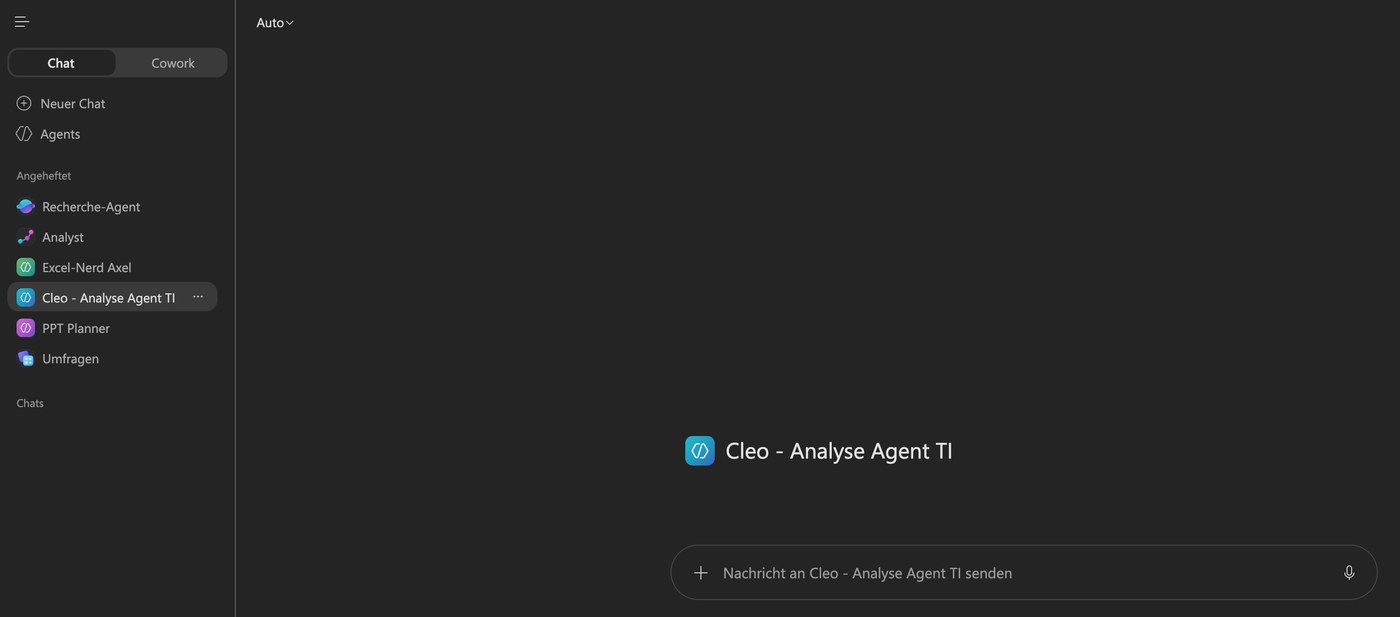
Screenshots from TAOM Process Studio with sample data. Click an image to enlarge it.
The link to your processes
An agent never works on its own but within a process. In TAOM Process Studio you mark AI-supported steps directly in the process model – so it is documented where an agent contributes, who reviews its results and what the process looks like before and after.
What you take away
How it works
|
Step 1
Arrange a date
Tell us your team size, preferred date and the platform you use – online or on site with you.
|
Step 2
Agree on use cases
We tailor the training to your tasks, your data and your platform.
|
Step 3
Run the training
Hands-on with your use cases – depending on course length, two to four agents are created, from the first draft to a tested process, with time for questions.
|
Who is the agent training for?
For business units, process owners, IT and digitalisation teams who want to use AI agents reliably in everyday work rather than just try them out. Programming skills are not required; first experience with the chosen platform helps.
Price: Daily rate on request – you will receive a quotation.
Platforms: Licences and access for the chosen platform (e.g. n8n, Make.com, Langdock, Claude, ChatGPT, Microsoft Copilot) are not included and are provided by you.
TAOM Process Studio · Traniva AG. n8n, Make.com, Langdock, Claude, ChatGPT and Microsoft Copilot are examples; their licences are not part of the training.