After testing, the user manual is best left to write itself!
Anyone who tests already walks through every step once. TAOM takes exactly that – role, work steps, sample data and screenshots – and builds a manual per process from it. As a Word file, in up to four languages.
You proofread instead of starting from scratch.
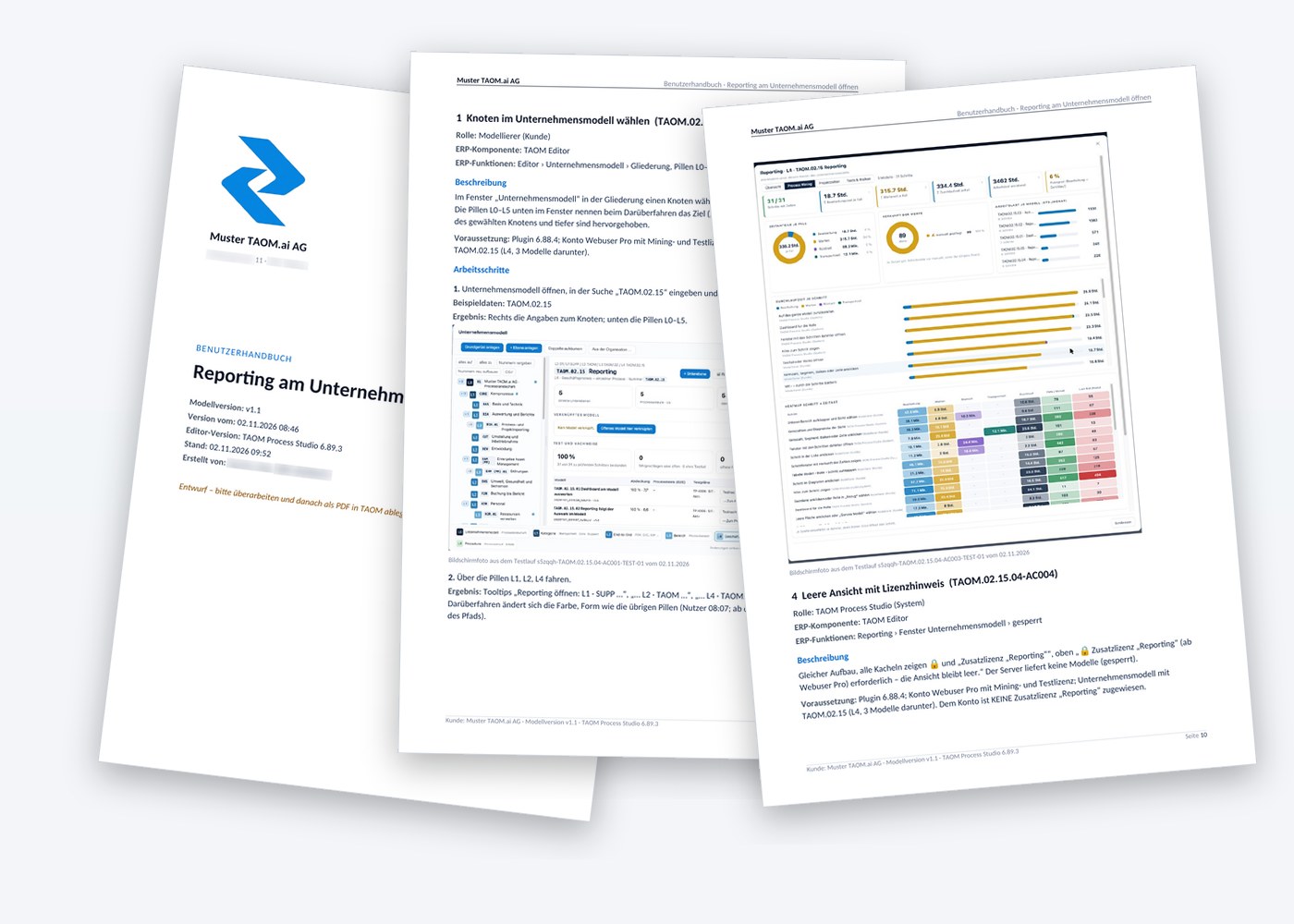
One chapter per process step – with everything the user needs
The manual follows the model. What is maintained on the step appears in the chapter. What does not belong there, you control via field control.
Title page
Customer, logo and process.
Process diagram
Table of contents and the whole model as an image.
Context
Role, ERP component, ERP functions, middleware, description – and the step’s symbol.
Instructions with image
Action, sample data, result and the matching screenshot.
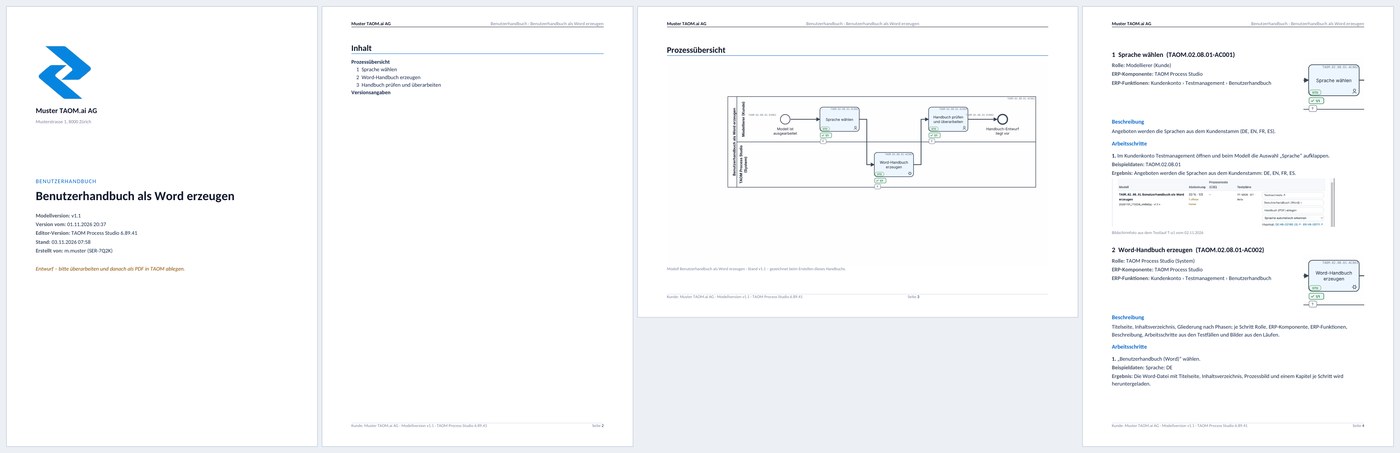
Screenshots from TAOM Process Studio with sample data. Click an image to enlarge it.
From the last passed test run
In the test run, a screenshot is taken per test step – of the whole screen, a window or a tab, optionally just a section. The manual uses the screenshot from the last passed run. If one is missing, a placeholder with the step name appears instead.
German, English, French, Spanish
The languages come from your company’s customer master. Headings, field names and notes appear in the selected language; so does content maintained on the step in several languages.
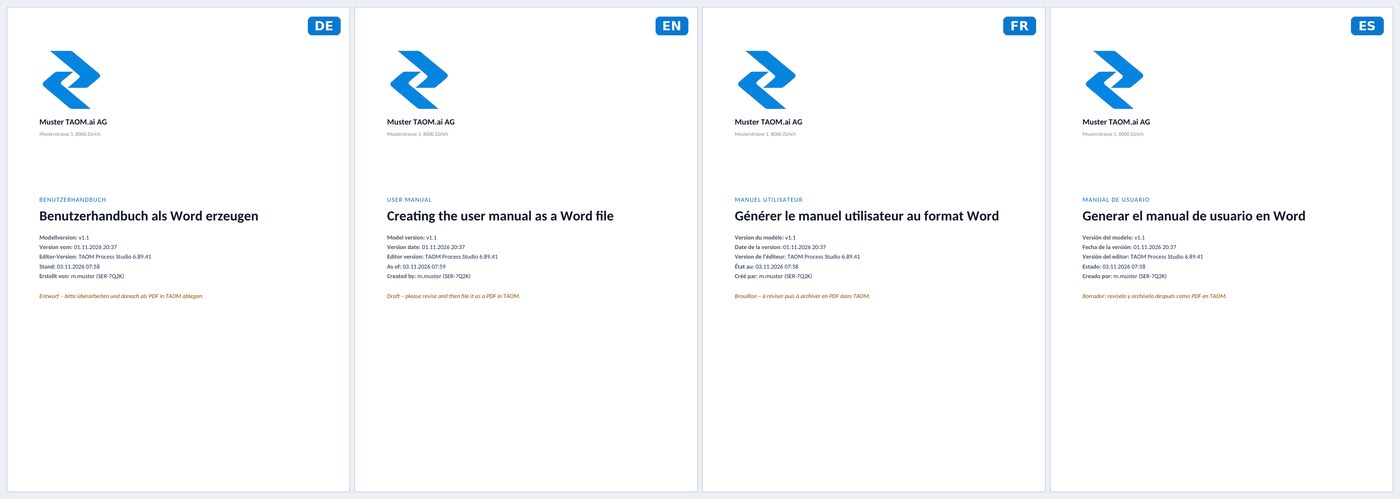
Screenshots from TAOM Process Studio with sample data. Click an image to enlarge it.
Revise, upload, seal
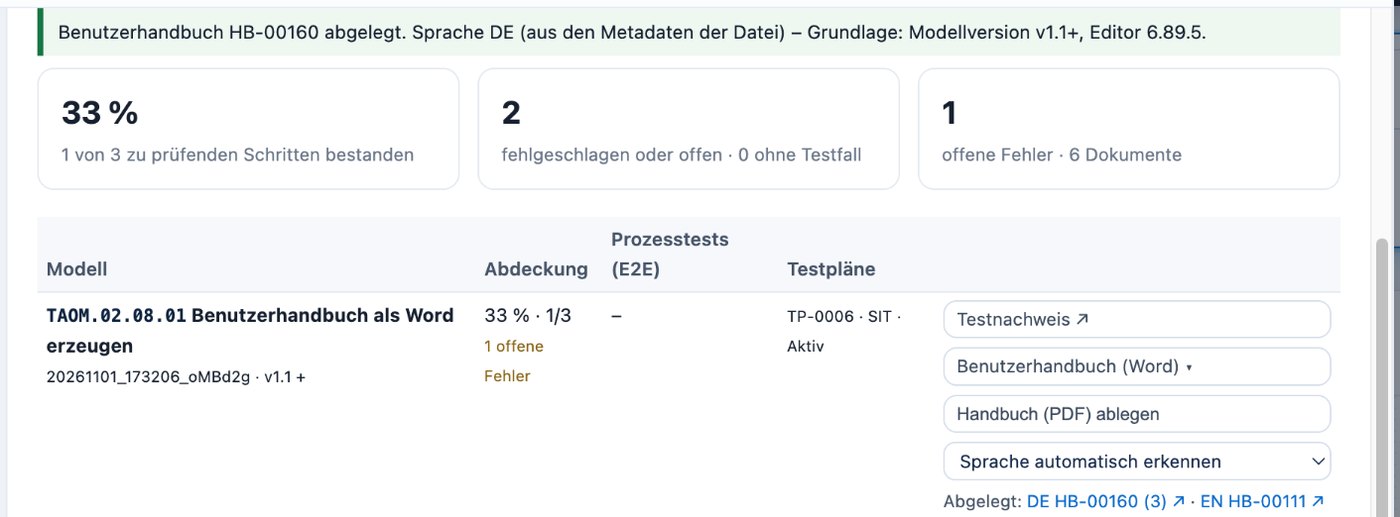
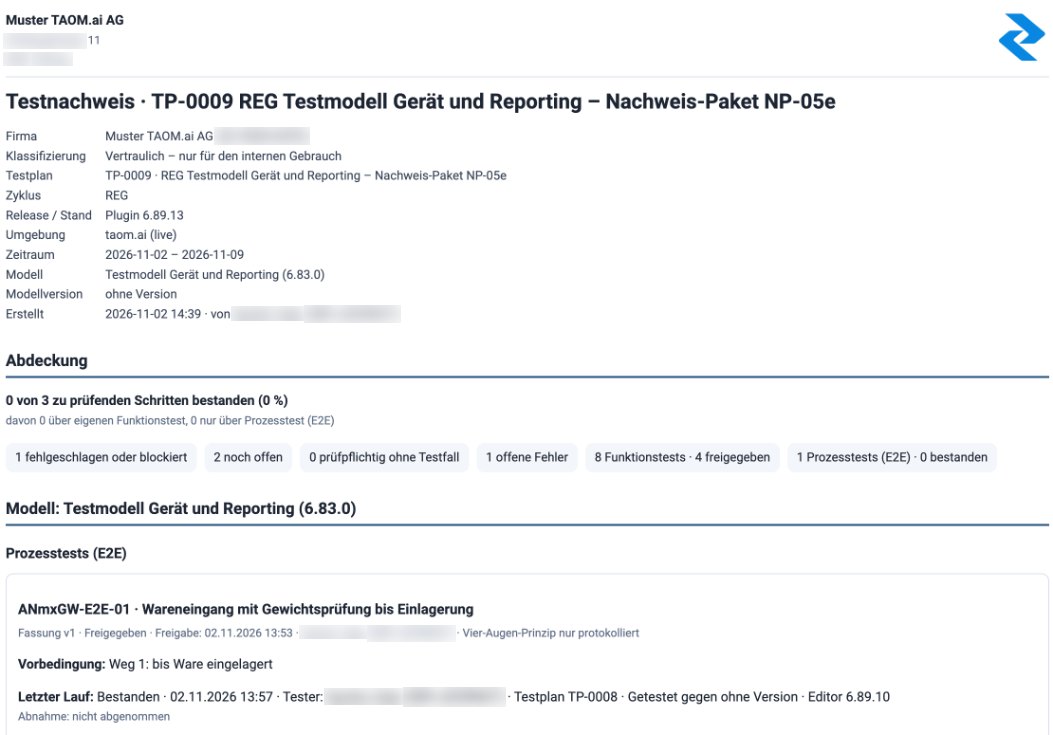
Screenshots from TAOM Process Studio with sample data. Click an image to enlarge it.
Weeks become minutes
Assumption per process: a manual with 30 or more pages – writing context, taking screenshots, cropping, inserting, formatting. TAOM creates the document in around 5 minutes per language; proofreading and approval stay with people (human in the loop).
| Manual | Conventional | With TAOM |
|---|---|---|
| First language(write 30+ pages, collect screenshots, insert, format · TAOM: generate, about 5 min.) | 24.0 h | 0.1 h |
| Three further languages(12 h each to translate and re-insert images · TAOM: 5 min. each to generate) | 36.0 h | 0.3 h |
| Human in the loop(proofread and approve, 20 min. per document, 4 languages) | 1.3 h | 1.3 h |
| Updating after a change(find the affected chapters and re-illustrate, 4 languages · TAOM: regenerate and proofread 20 min. per language) | 12.0 h | 1.7 h |
| Per process · DE + EN + FR + ES, updated once | 73.3 h | 3.4 h |
| 30 manuals – as with the tests
around 2,100 person-hours less – over 95 % |
2,199 h | 102 h |
Example calculation based on assumptions, not a measurement.
What you won’t find elsewhere
Manual tools record clicks. Test tools manage test cases. TAOM connects both with the process model:
- the same ID in the model, the test case, the manual and Jira
- role and ERP function per chapter – not just screenshots
- screenshot from a passed test run, not from a demo
- manual and test evidence from the same source
- sealed storage with checksum
Short answers
Do I need a separate licence for this?
The manual is part of the Testing and verification add-on licence. Which tiers can purchase it is shown in the licence structure.
Can I control what goes into the manual?
Yes. Via field control you define per field whether it is exported. If a step is set to “without content”, only ID and name appear.
What happens to confidential screen content?
Screenshots are stored access-protected with the test run. Do not capture personal or confidential data – screenshots can also be switched off entirely per company. More in the Trust Center.
Test and document in one go.
User manual and test evidence come from the same source: your process.