Test where the process lives.
Verification duty, risk, test case, test run, screenshot, evidence and user manual are attached to the same process step in the BPMN model – with the same ID as in Jira and Confluence.
No retyping from the process into the test tool, no hunting for screenshots, no manual that nobody maintains in the end.
From process step to finished evidence
Five steps, one place. What is on the step once is never written again – neither in the test case nor in the manual.
What disappears when the test is attached to the process
Example calculation for a project with 30 test cases of 6 test steps each (180 test steps), including 5 end-to-end processes, one test cycle and 15 defects. Hours are person-hours; the assumptions are given in each row – recalculate with your own values.
From practice: processes are rarely cleanly defined. When test cases are written, variants appear that did not exist before – and the team has to agree on them. For end-to-end processes this quickly takes 4 to 6 hours per test case with several participants.
| Activity | Conventional | With TAOM | What TAOM takes over |
|---|---|---|---|
| Writing test cases30 × at least 30 min. by hand – often much longer · with TAOM 30 × 8 min. to review and complete | 15.0 h | 4.0 h | Precondition, test steps and expected results come from the diagram – role, system and description are already on the step. |
| Determining E2E pathsWorking out paths through the process by hand | 4.0 h | 0.5 h | Paths from start to end are read from the model – across linked models too. |
| Agreeing E2E test cases in the team5 E2E processes × 5 h alignment × 4 people · with TAOM 5 × 2 h × 4 people | 100.0 h | 40.0 h | Paths and variants are visible in the model, the proposal is already there – the team discusses deviations instead of starting from scratch. New variants end up in the model and are not lost. |
| Screenshots180 × 2 min. to capture, crop, name, insert · with TAOM 180 × 12 s | 6.0 h | 0.6 h | Screenshot with a click, with a 3-second timer or automatically on the result – filed straight at the right test step. |
| Handing over defects15 × 10 min. to create and link an issue · with TAOM 15 × 2 min. | 2.5 h | 0.5 h | The defect goes to the target system (e.g. Jira) as an issue, the status comes back to the customer account. |
| Compiling test evidenceResults, screenshots and signatures in one document | 8.0 h | 0.3 h | PDF with ID and checksum (SHA-256), stored unalterably. |
| User manualInstructions per process with roles, steps and images | 24.0 h | 4.0 h | Word manual from model and test cases, screenshots from the last passed run – you only revise. |
| Total | 159.5 h | 49.9 h | around 110 person-hours less – almost 70 % |
Example calculation based on assumptions, not a measurement. How much you actually save depends on scope, requirements and the team’s experience.
Screenshots directly in the test run
The tester chooses in the browser what to capture: the whole screen, a window or a browser tab. Any application can be captured this way – SAP GUI, Fiori, a business application or a website.
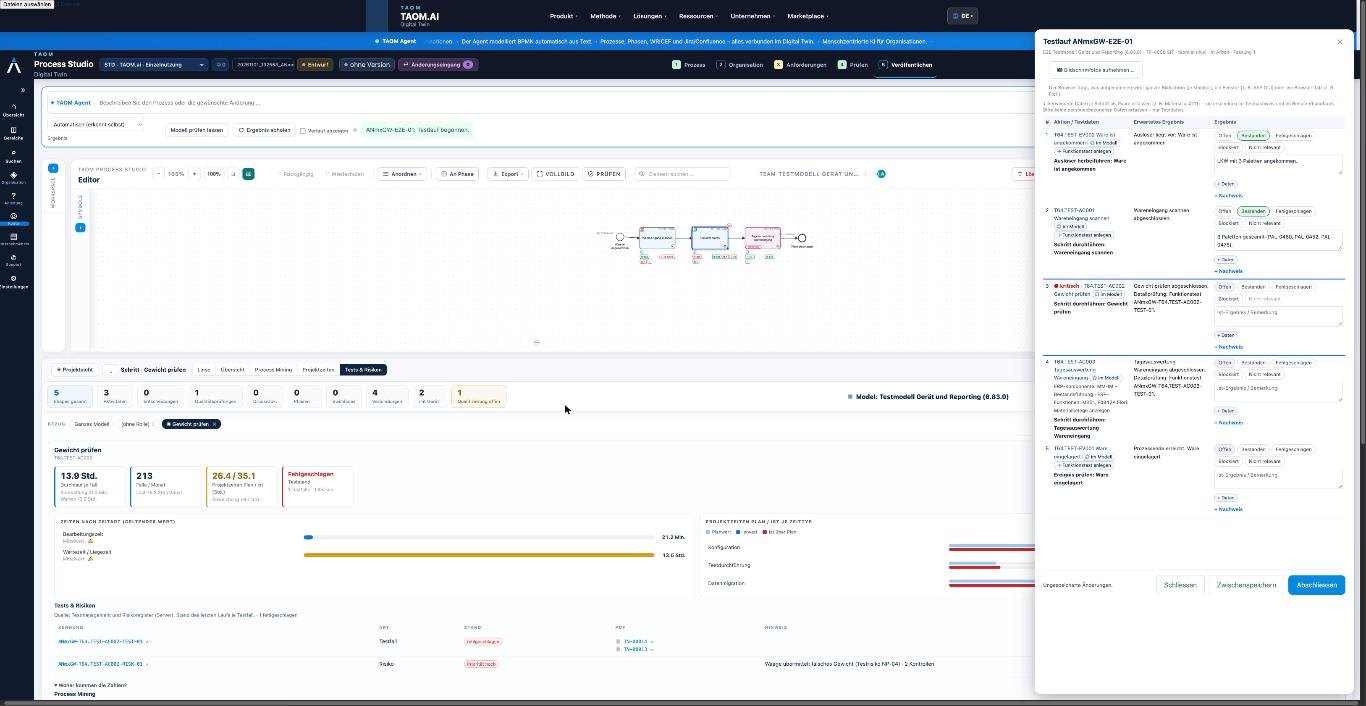
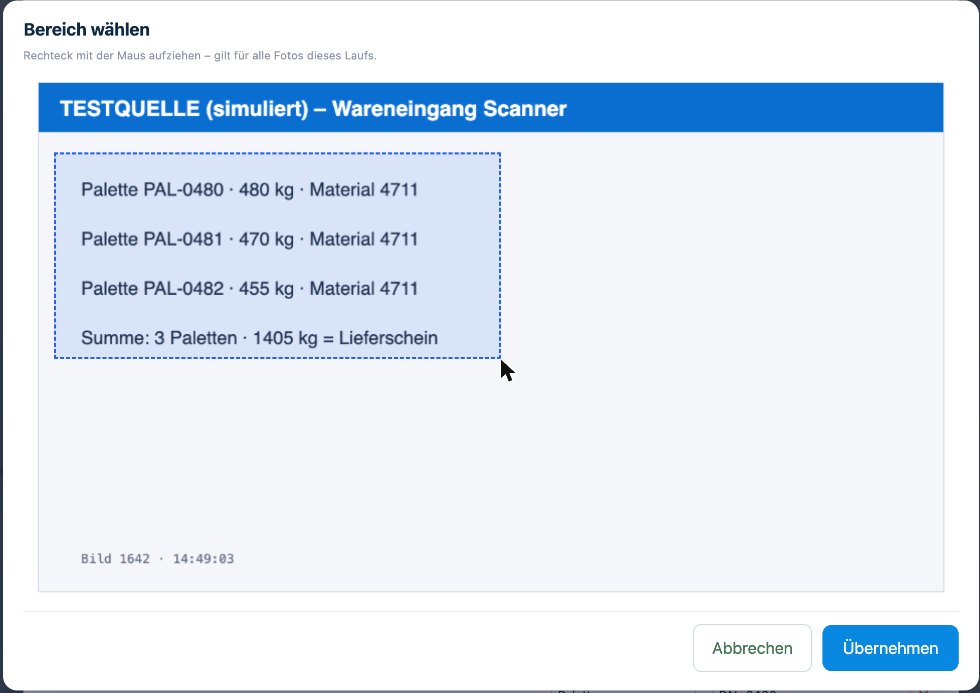
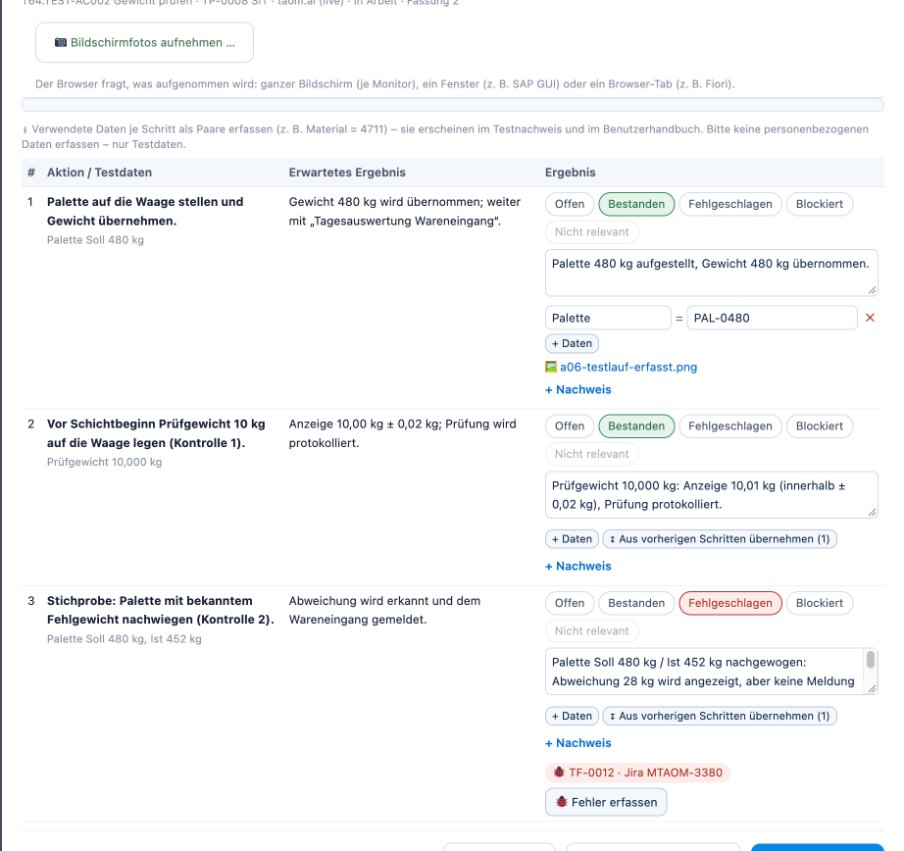
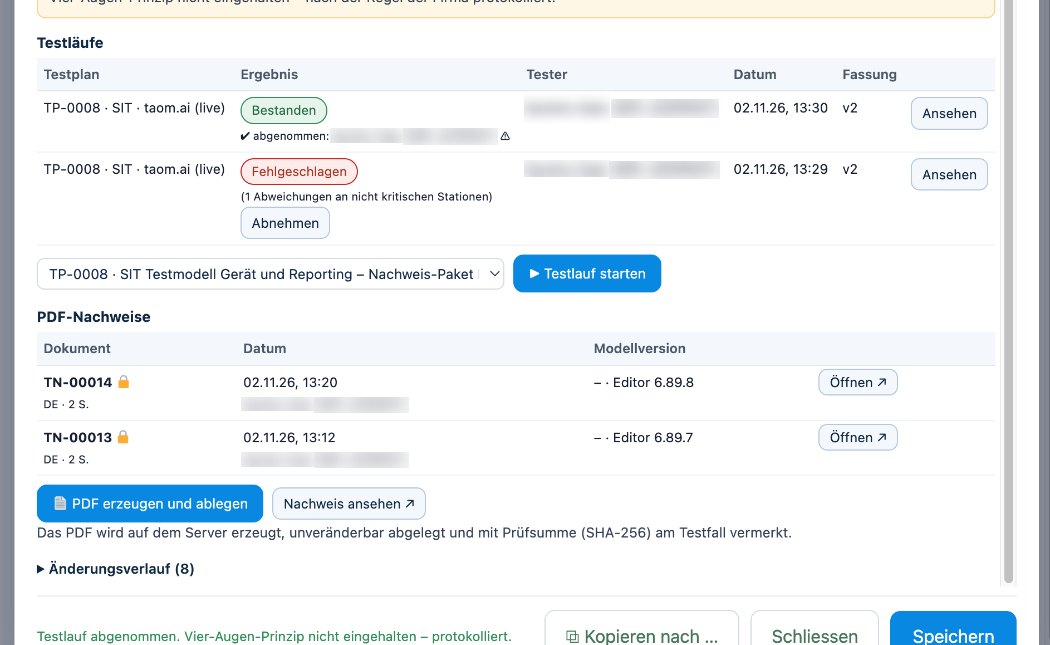
Screenshots from TAOM Process Studio with sample data. Click an image to enlarge it.
GAMP 5, IQ / OQ / PQ* and four eyes – on the step, not in a spreadsheet next to it
For pharma, medical technology, food and everyone who must verify what they do.
Risks according to GAMP 5
Severity, probability and detectability determine the risk class – and the risk class the test depth.
- controls per risk
- risk register with coverage
- verification required without test case: visible at once
Equipment & infrastructure
Equipment per step with manufacturer, model and location – from hand scanner to scales.
- Status of IQ, OQ, PQ* per device
- protocol access-protected on the step
- open qualification marked in the diagram
Versions and four eyes
Every change after approval creates a new version. Acceptance is logged.
- who, when, which version
- test evidence with SHA-256
- origin seal in the BPMN file
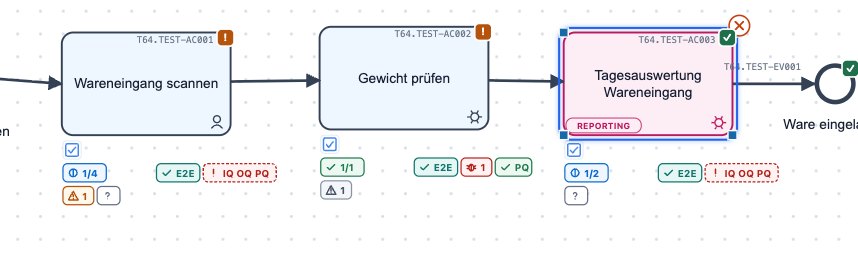
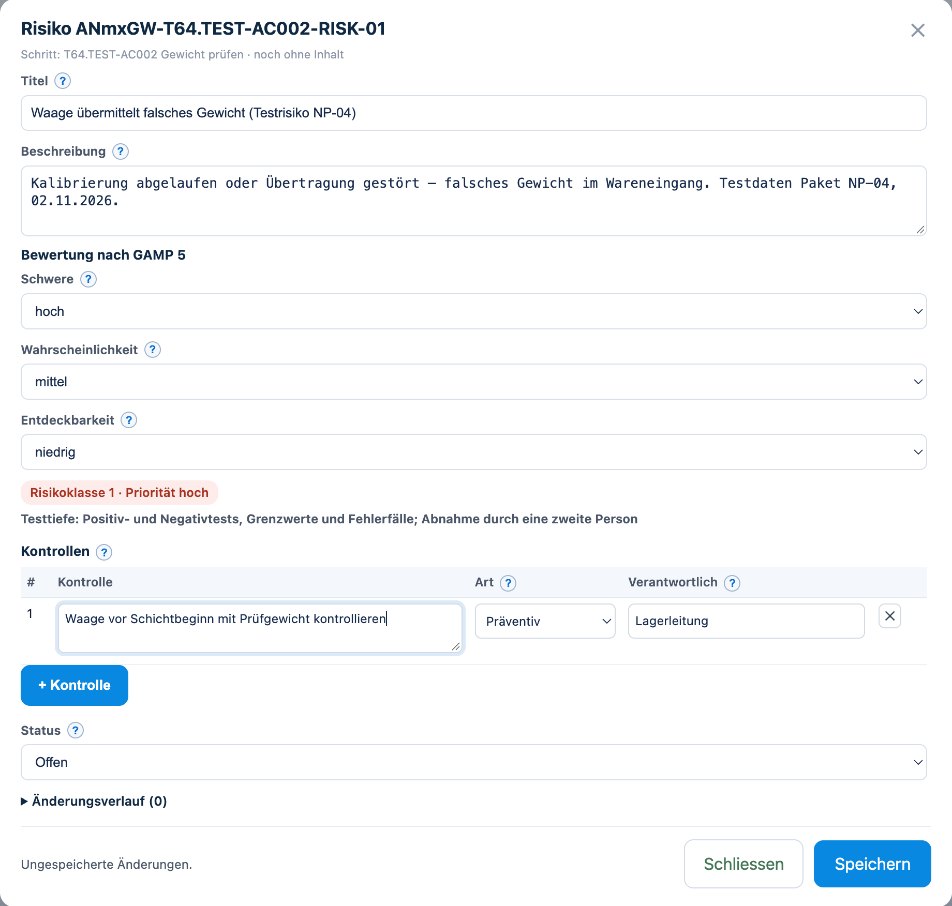
Screenshots from TAOM Process Studio with sample data. Click an image to enlarge it.
* IQ – installation qualification: correctly delivered and installed. OQ – operational qualification: works as specified. PQ – performance qualification: works reliably in real operation. More in the glossary; all three are part of validation according to GAMP 5.
The process writes the first draft
What is on the step – role, system, transaction, description – becomes the proposal for precondition, test steps and expected results. Without an AI agent, traceable and editable by hand at any time.
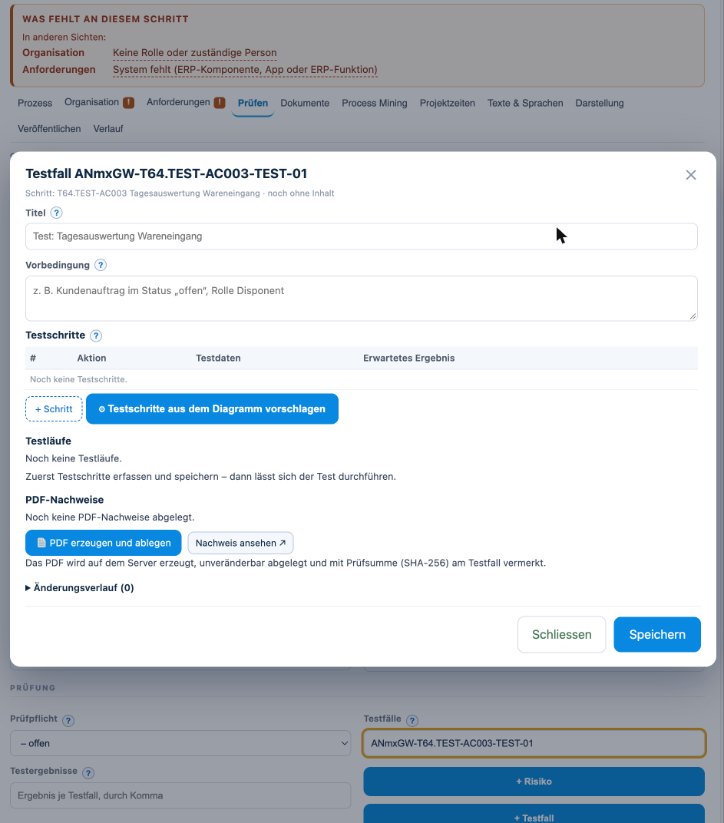
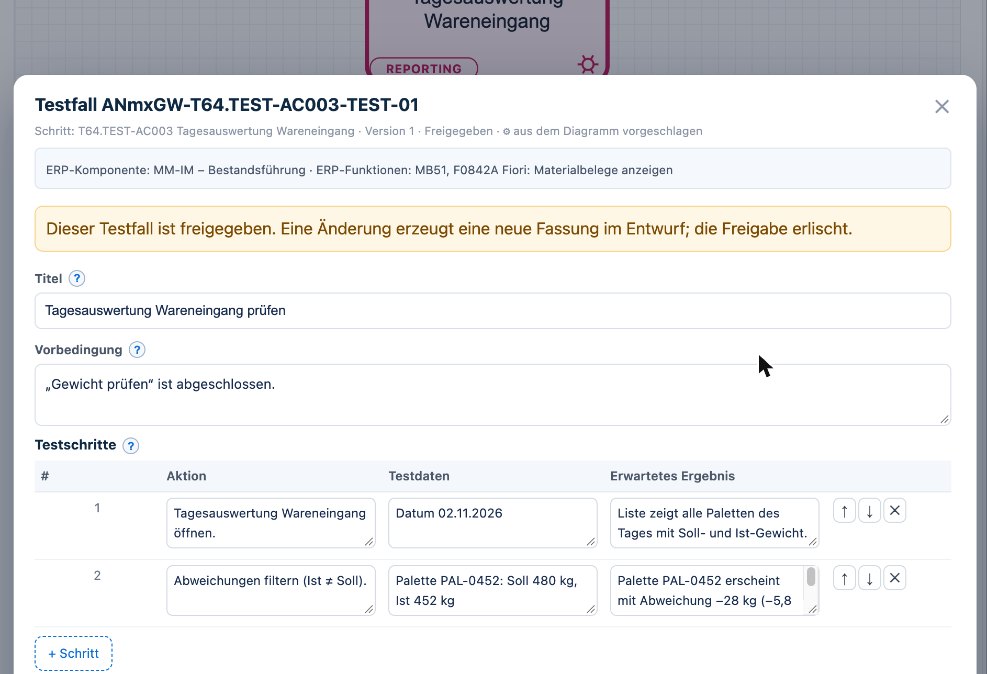
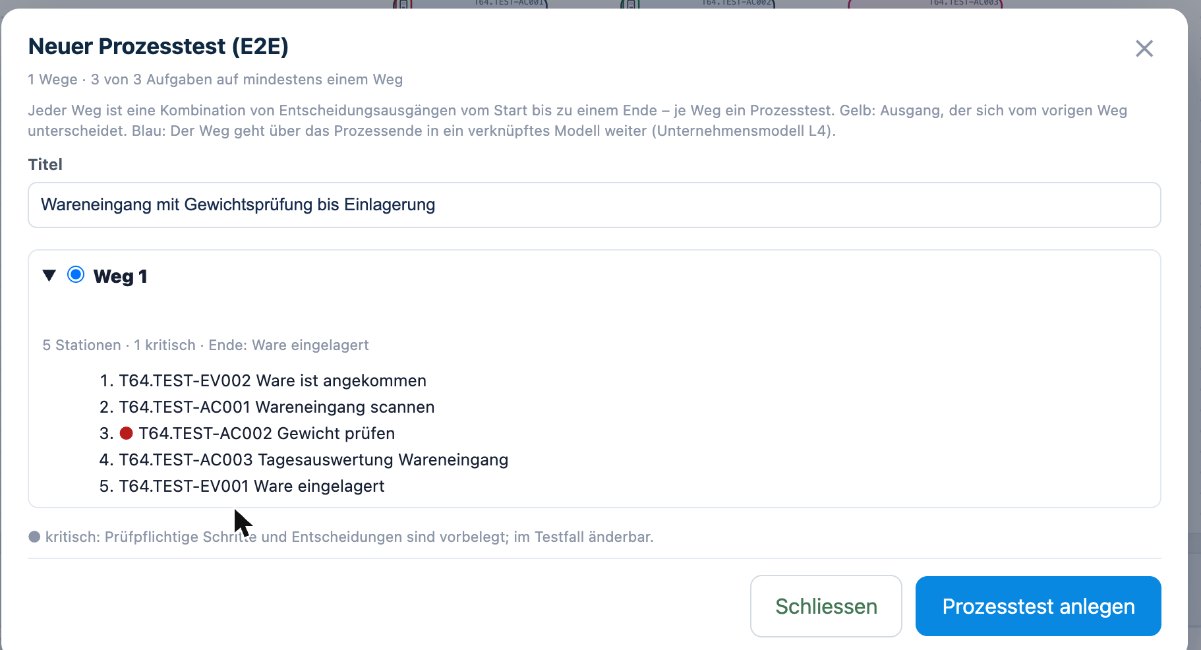
Screenshots from TAOM Process Studio with sample data. Click an image to enlarge it.
Why not just a test tool?
Test tools manage test cases. TAOM also knows where in the process a test case sits, why it is needed and who performs the step in daily work.
This turns the process model into a digital twin of your organisation: processes, roles, systems, tests and KPIs in one place – always up to date instead of pulled together once a quarter. More on the digital twin →
We connect, we don’t replace
Defects and issues go to the target system (e.g. Jira, Confluence) – with its own access per person testing. Your company’s test tool stays where it is.
- licence per person testing
- testers need no AI tier
- evidence stays with the customer
At the end, the document is already there
The test evidence is created as a PDF with ID and checksum. The user manual comes as a Word file – with title page, roles, ERP functions, work steps and the screenshots from the last passed run.
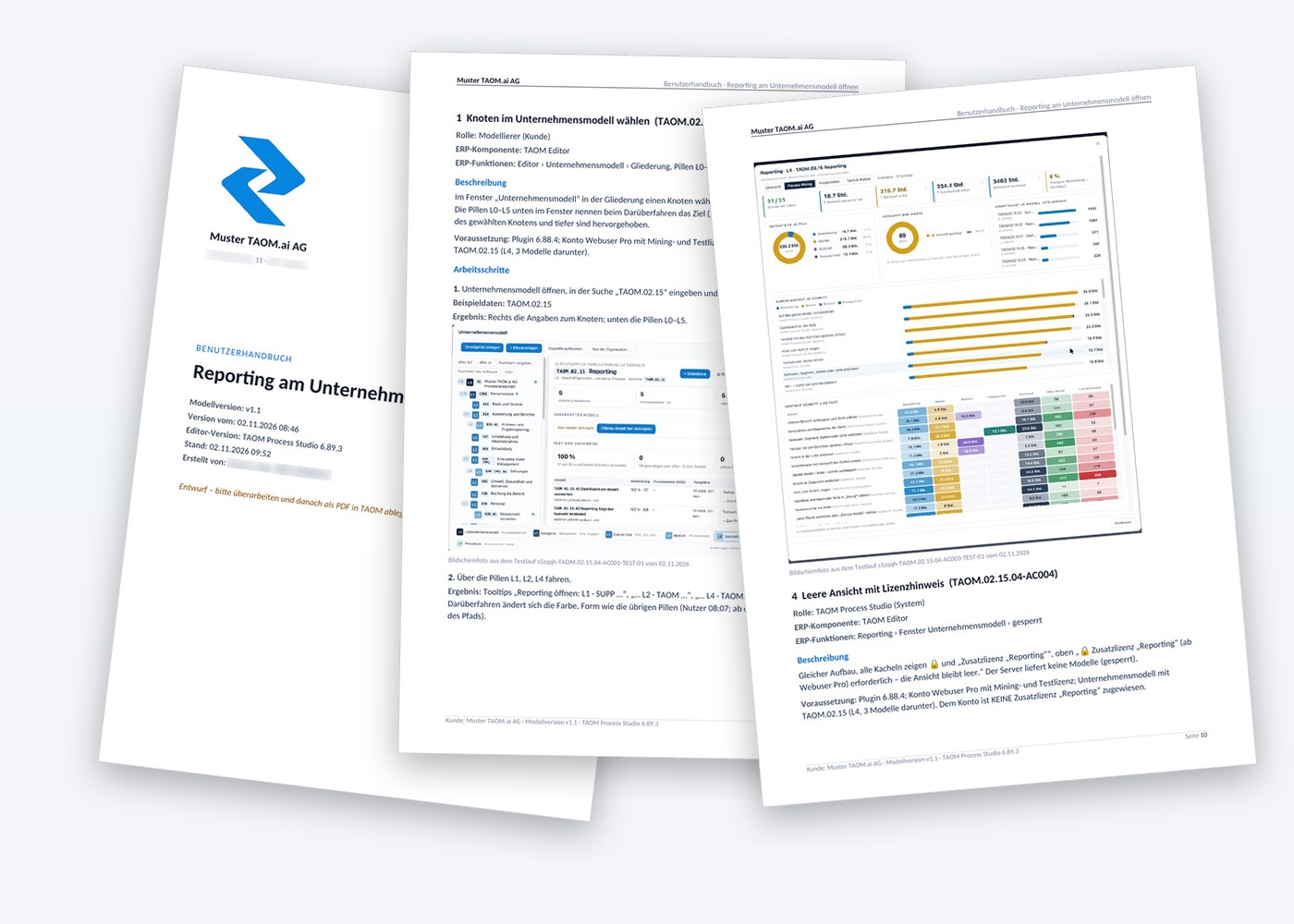
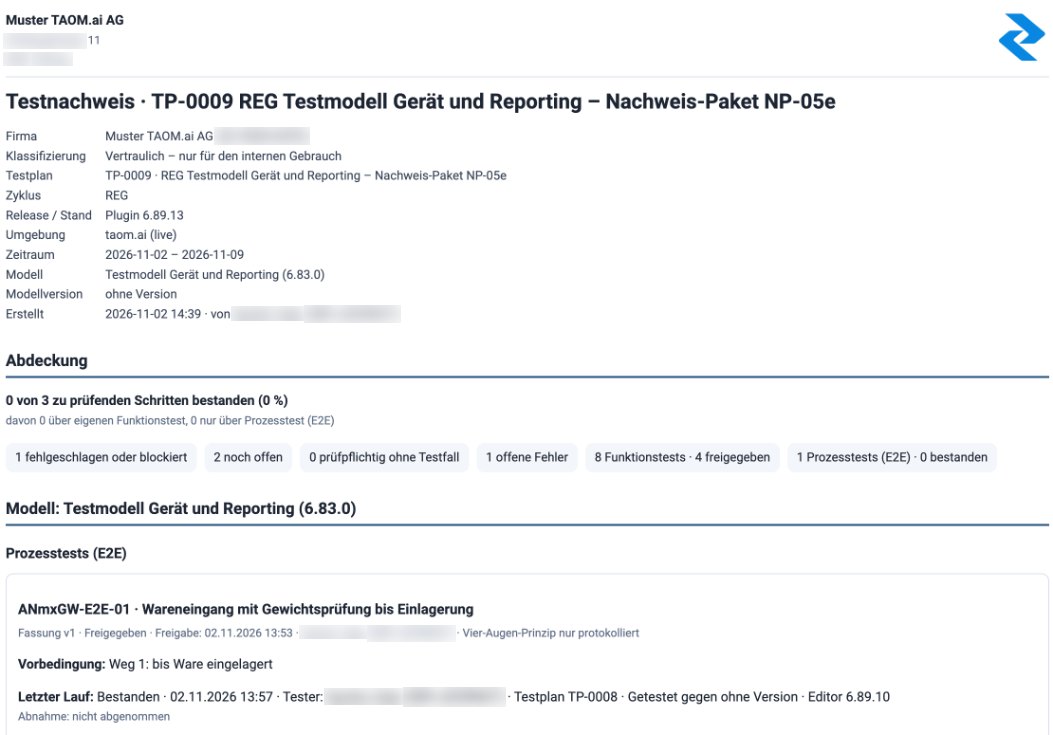
Screenshots from TAOM Process Studio with sample data. Click an image to enlarge it.
Short answers
Do testers need a Webuser licence with AI?
No. The add-on licence applies per person testing. Anyone who only tests needs no AI support. It can be purchased with Webuser and Webuser Pro – details in the licence structure.
Which applications can I capture?
Anything the browser can share: screen, window or tab. So SAP GUI, Fiori or a business application too. Please do not capture confidential or personal data.
Where are screenshots and evidence stored?
Reduced in size and access-protected with the model, not public and not in a media library. Images from superseded, unaccepted test runs are deleted after an adjustable period (default 90 days); name, size and checksum remain recorded. More in the Trust Center.
Does TAOM replace our test management?
Not necessarily. TAOM connects target systems such as Jira and keeps the link to the process. You decide where execution and results are leading.
Test without writing twice.
Testing and verification add-on licence – per person testing, own term, cancellable separately.