TAOM Change Impact Management
Know the impact before you make the change.
See before implementation which process steps, requirements, WRICEF objects, tests, risks and approvals a change affects – with a traceable assessment of effort and cost.
TAOM uses what is already attached to the step in Process Studio. No extra data maintenance, no gut-feel estimates – and no staff costs for people who are not allowed to see them.
From change to decision
One flow instead of alignment rounds between business, IT and quality
The starting point is the comparison with the valid model version: which steps were changed, added or removed? For every changed step TAOM shows what is attached to it – and condenses it into one assessment. Changes to layout or measurement data only do not count.
Decision overview
The most important impacts at a glance
This is how a process expert sees the change to a model – sample values.
Requirements and WRICEF
Which requirements, ERP functions and development objects are attached to the changed step – separated into standard and extension.
Tests
Which test cases must be adapted and re-run – and where a step subject to testing has no test case. Testing and verification
Risks and approvals
Which risks must be reassessed and which approvals – at the step and for the model version – must be obtained again.
Roles
Which roles and owners are affected and need to be informed.
Information protection
Whether the classification is affected – and that steps above a person’s clearance level appear only with name and ID. Information protection
Effort internal and external
Internal hours and external consultant days kept separate – with hourly or daily rate per role.
Impact Score
A score that explains itself
Not just “58”, but “58 = 18 process + 12 requirements + 11 test + …”. The customer’s administrator sets weights and thresholds; TAOM supplies templates. A configurable assessment model – not a substitute for mandatory reviews.
| Share | Template | Basis |
|---|---|---|
| Scope of the process change | 25 % | changed, new and removed steps in relation to the model |
| Requirements and WRICEF | 20 % | affected requirements; development objects count double |
| Test effort | 20 % | affected and missing test cases |
| Risk and compliance | 15 % | risks, classifications, compliance requirements |
| Roles and organisation | 10 % | affected roles |
| Information protection and approvals | 10 % | approvals at the step, model version, protection level |
| Score | Rating | Consequence |
|---|---|---|
| 0–20 | Low | Simplified change approval |
| 21–40 | Moderate | Review by the process owner |
| 41–60 | Elevated | Impact review required |
| 61–80 | High | Formal change process |
| 81–100 | Critical | Extended approval and risk review |
Three levels – strictly separated
See the effort without seeing staff costs
A process expert sees that a change causes 5.5 hours of effort – without access to confidential staff costs. The server enforces this, not just the user interface.
| Level | Who sees it |
|---|---|
| Impact Score | anyone allowed to see the model (process permission) |
| Estimated effort | with the right “View effort” (template: everyone in the company) |
| Cost assessment | only with the separate right “View costs” – calculated with rates per role |
| Remuneration data of individuals | maintained, approved and seen only by the customer’s administrator |
TAOM enables role-based effort estimates without disclosing personal remuneration data. Maintaining and approving customer-specific cost rates is subject to a separate authorisation concept.
Rates per role
Internal with an hourly rate, external (consultants) with a daily rate. The template is deliberately fictitious – until the administrator enters real rates. One currency per customer.
Nothing can be reverse-calculated
Anyone allowed to see costs sees amounts based on role rates – never the rate of a person. The log only records that a rate was changed, never the amount.
Tested like everything in TAOM
The rules are described as a process in the enterprise model and backed by positive and negative tests. Testing and verification
Effort honestly labelled
Every figure says where it comes from
| Source | Meaning |
|---|---|
| Default value | Effort per activity from the customer’s defaults, e.g. review requirement 0.5 h |
| from actual data | average duration of the test runs actually performed |
| from project times (plan) | planned development at the step, internal or external – e.g. WRICEF by an external developer |
Where sequence and capacity are still missing, “–” is shown instead of false precision.
Reporting across the process landscape
All open changes – per node of the enterprise model
Filter
By level, by standard or processes with WRICEF, by fixed rule and by individual WRICEF object.
Condense
Distribution by level, share of standard and WRICEF, score drivers, effort per activity internal and external.
Drill down
Every tile and every row opens the details – down to the changed step in the model. Reporting
Extension
From analysis to managed change
Change Impact Analysis today
Consequences of change, Impact Score with shares, fixed rules, effort internal and external, costs according to permission, reporting with filters.
Change Impact Management today
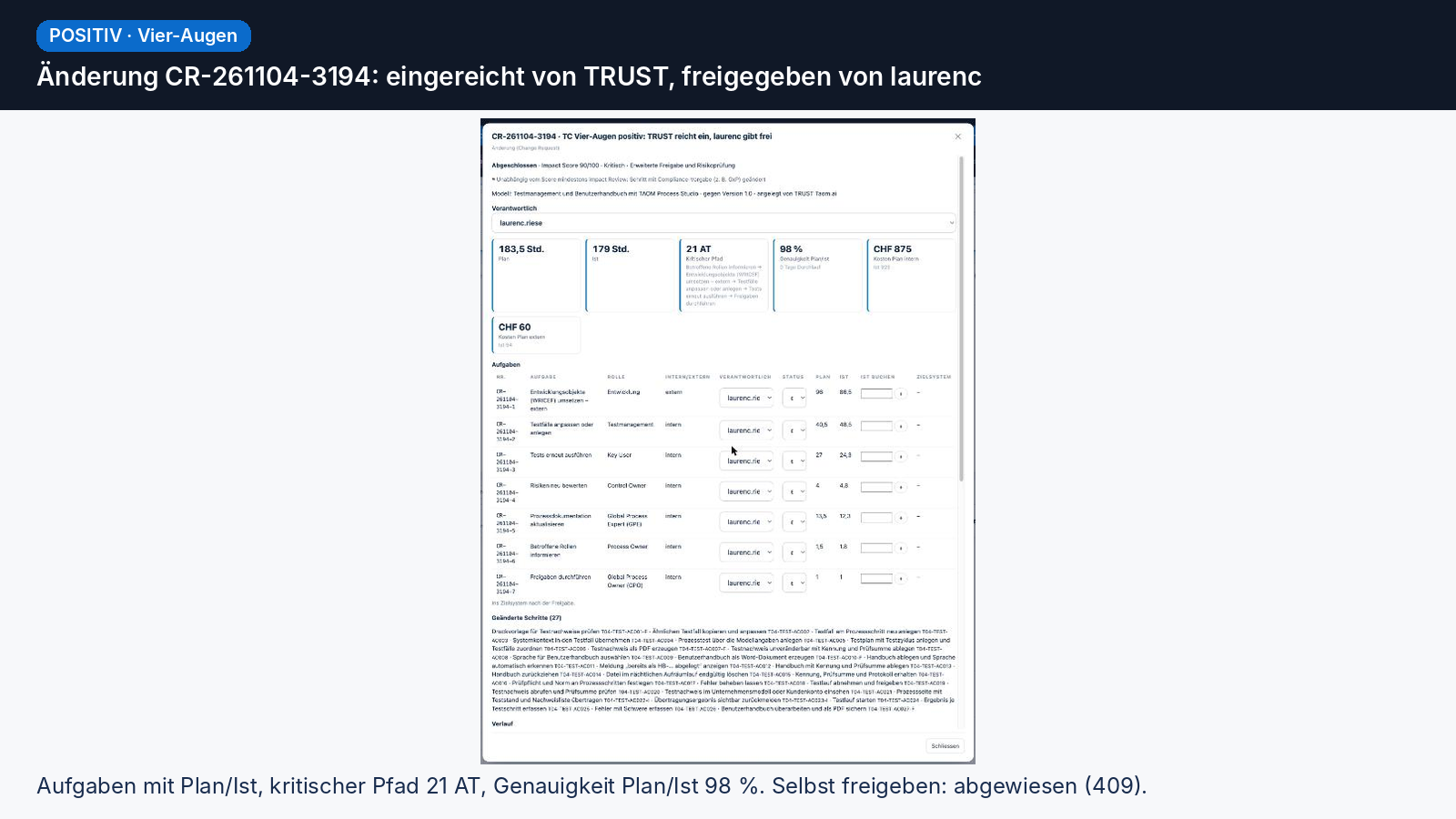
The change as an object of its own with number, status and owner; measures as tasks with notification by e-mail, channel and – if connected – target system; approval under the four-eyes principle; actual times against plan; critical path.
Predictive Change Impact today
Simulate a change draft before it is applied; measure the estimate against actuals and learn from completed changes.
Change Impact Management
Know the impact before you make the change.
For ERP transformations, regulated industries and complex process landscapes. Add-on licence per customer – the administrator switches it on in the customer account.